Syncing Sales
Once a sales channel is connected, you can sync sales from your accounting system into Partsemble. Syncing pulls new and updated invoices and sales receipts, processes them, and updates your inventory and margin data.
Running a Sync
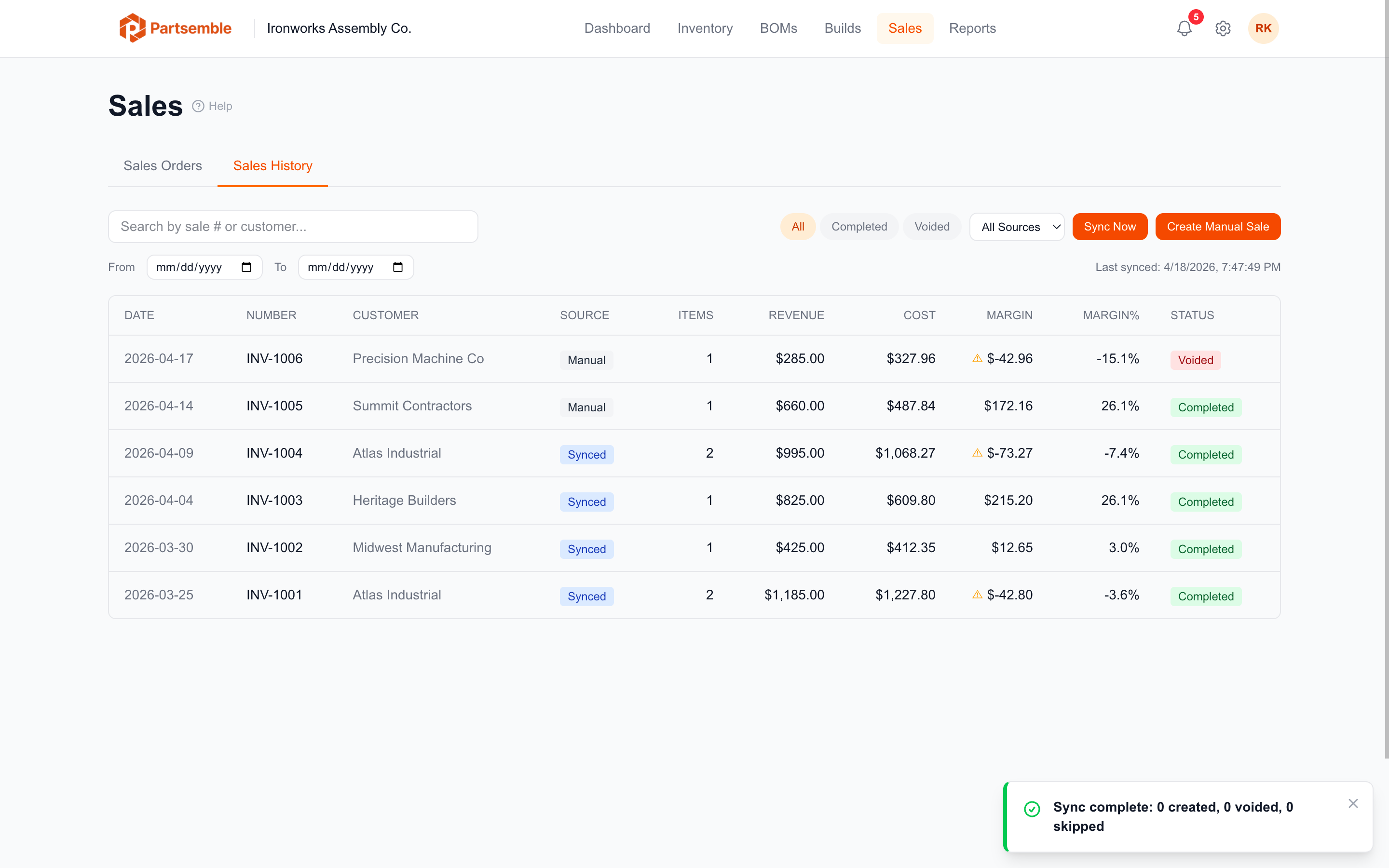
On the Sales tab, click Sync Now. Partsemble fetches all transactions created or updated since the last sync (or since the initial sync date for the first run).
When the sync completes, a summary shows how many sales were created, how many were voided, how many were skipped (already synced), and any errors.
What Gets Synced
Partsemble pulls three types of transactions from your accounting system:
- Invoices — standard customer invoices
- Sales receipts — point-of-sale or immediate-payment transactions
- Credit memos — returns and adjustments
Each transaction includes the customer name, date, line items (products and quantities), prices, and total amount.
How Sales Are Processed
For each new sale, Partsemble:
- Creates a sale record with the external invoice number, customer, and date
- Matches line items to Partsemble products using the accounting item link
- For each matched finished good, consumes lots using FIFO and calculates the true cost
- Decreases the product's stock on hand
- Calculates the margin (revenue minus FIFO cost)
- Creates stock transactions for the audit trail
Only finished good products are tracked in sales. If an invoice contains items that aren't finished goods in Partsemble (raw materials, services, etc.), those lines are skipped — they don't affect inventory or margins.
Sync Frequency
Syncs are triggered manually by clicking Sync Now. Each sync pulls everything since the last sync, so you can sync as often or as infrequently as you like. Many businesses sync once a day or once a week.
Idempotent Processing
If a sale was already synced, it's skipped on subsequent syncs. If a sale was updated in your accounting system (e.g., a line item changed), the updated version is processed on the next sync.
Handling Errors
If a specific sale can't be processed (e.g., a product isn't linked to an accounting item), the sync continues with the remaining sales and reports the error at the end. Fix the issue (link the product) and sync again to pick up the failed sale.