Dashboard Overview
The dashboard is your at-a-glance view of production readiness, inventory health, and recent activity. It pulls together data from across Partsemble into a single page so you can see what needs attention without navigating to individual sections.
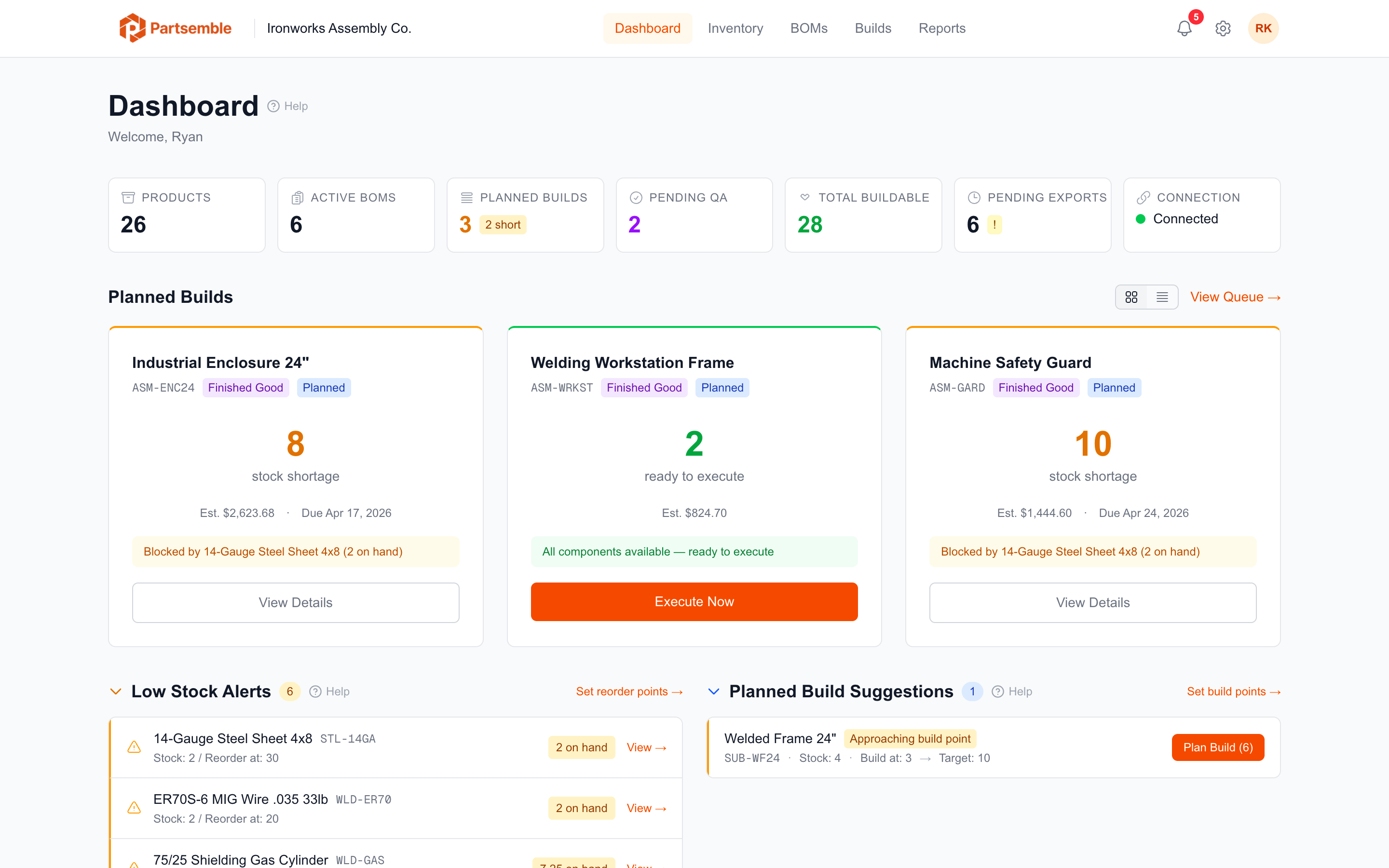
Stats Bar

The top of the dashboard shows key counts: total products, active BOMs, planned builds in the queue, pending QA reviews (if QA is enabled), total buildable products, and pending exports. These give you a quick pulse on where things stand.
Dashboard Sections
What Can I Build? — shows every active BOM with the maximum number of units you can build right now based on current stock. Each entry highlights the bottleneck component — the material limiting production. Click any product to start a build. See What Can I Build?.
Low Stock Alerts — flags components that are running low or out of stock, especially those that limit BOM buildability. Also shows products that have fallen below their configured reorder point. See Low Stock Alerts.
Build Suggestions — recommends builds for finished goods whose stock has dropped below their BOM's build point. Shows the suggested quantity to bring stock back to the target level. See Build Suggestions.
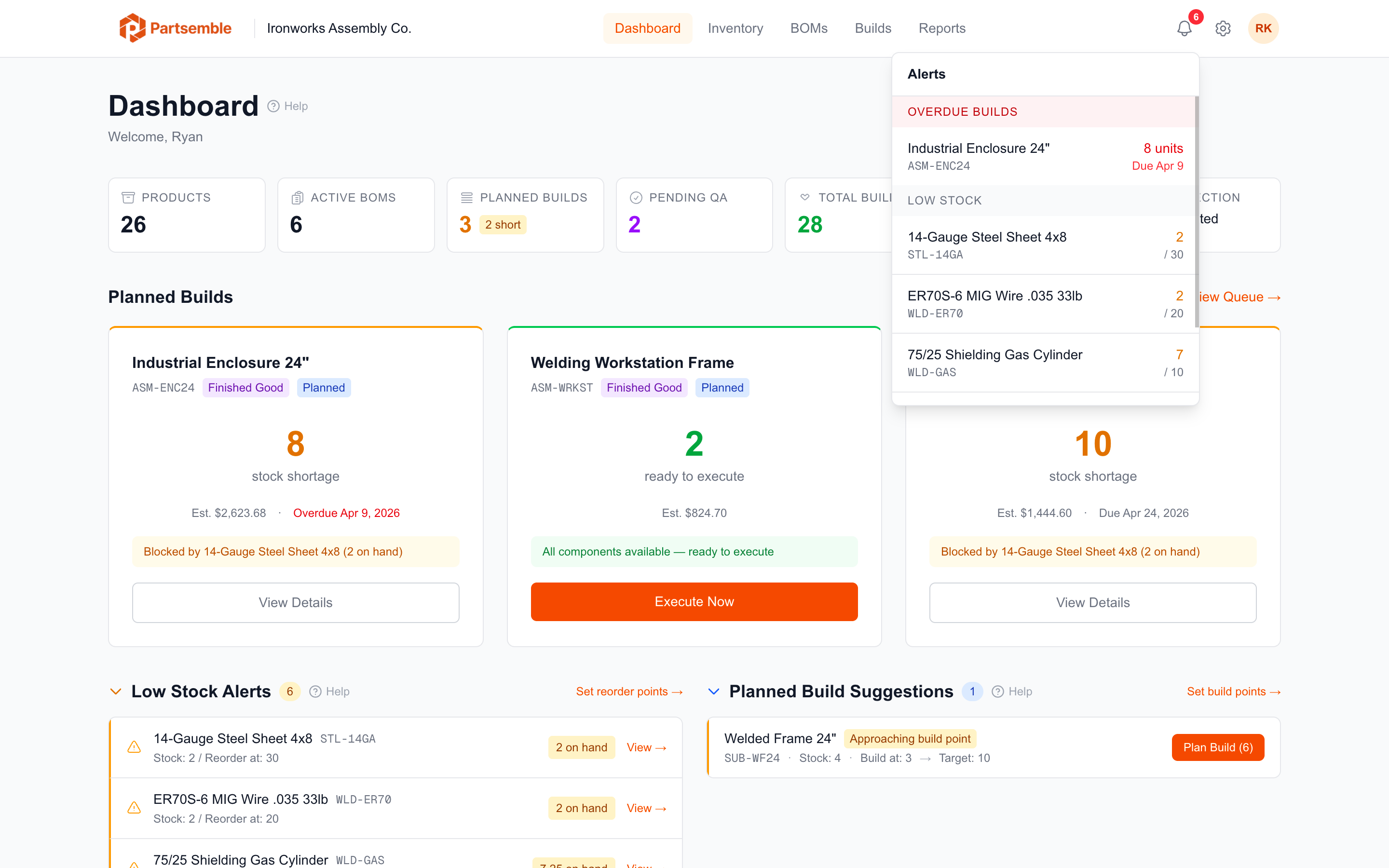
Overdue Builds — lists planned builds that have passed their target date without being executed. Helps you spot production delays. See Overdue Builds.
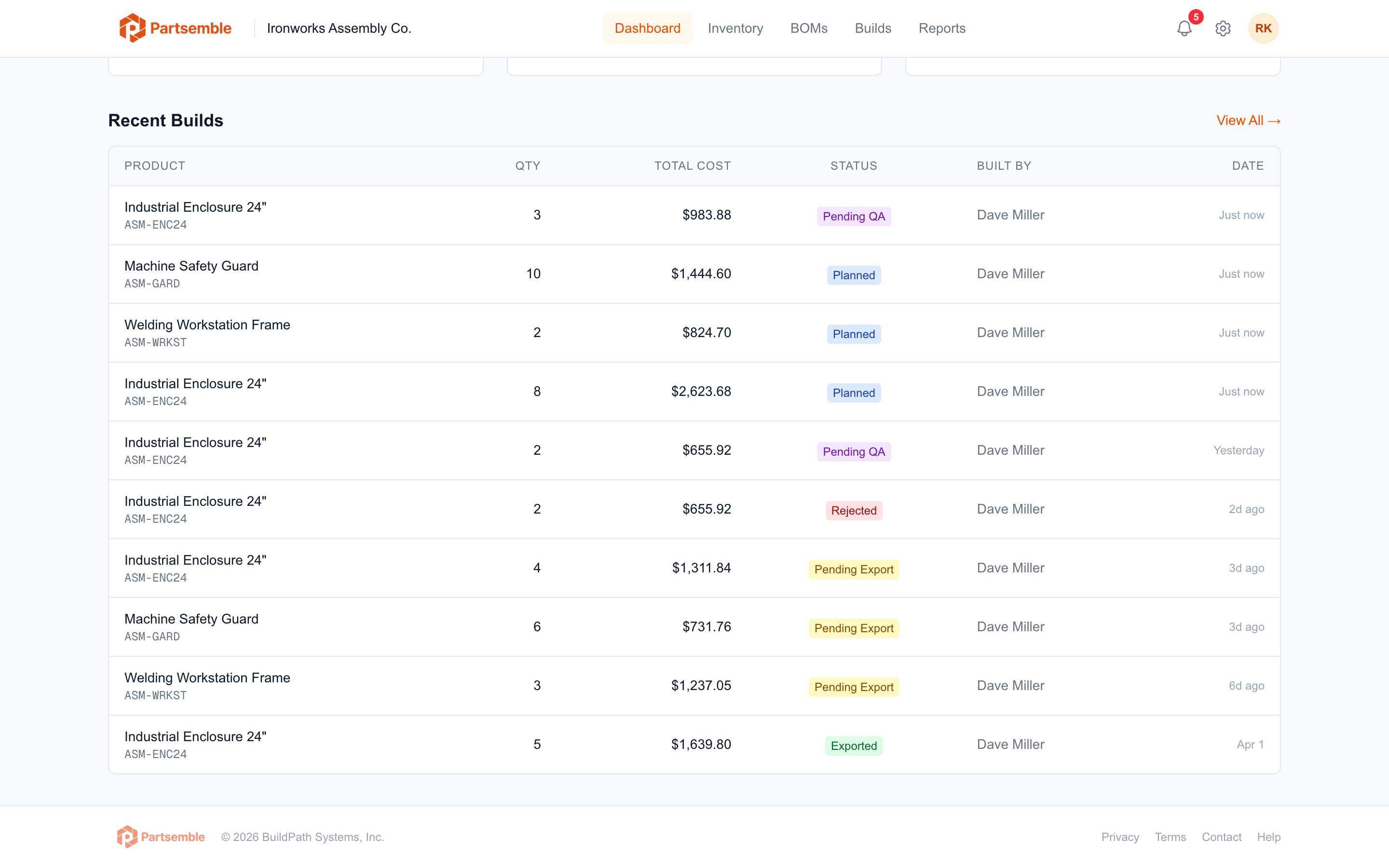
Recent Activity — the last 10 builds across all statuses, giving you a quick view of what's been happening in production.
Conditional Sections
Some dashboard sections appear only when their corresponding features are enabled:
QA Stats — when QA review is enabled, shows counts of builds awaiting review, approved, and rejected.
Receiving Stats — when receiving is enabled, shows counts of draft and pending receipts.
Sales Stats — when sales tracking is enabled, shows 30-day revenue, cost, and margin totals.
Alert Toggles
Each alert type (low stock, build suggestions, overdue builds) can be turned on or off in Settings → Alerts. When disabled, that section is hidden from the dashboard. See Alert Configuration.