Manual Sales
Not every sale comes through your accounting system. Manual sales let you record transactions directly in Partsemble — for cash sales, marketplace orders, or any revenue that doesn't flow through your standard invoicing process.
Creating a Manual Sale
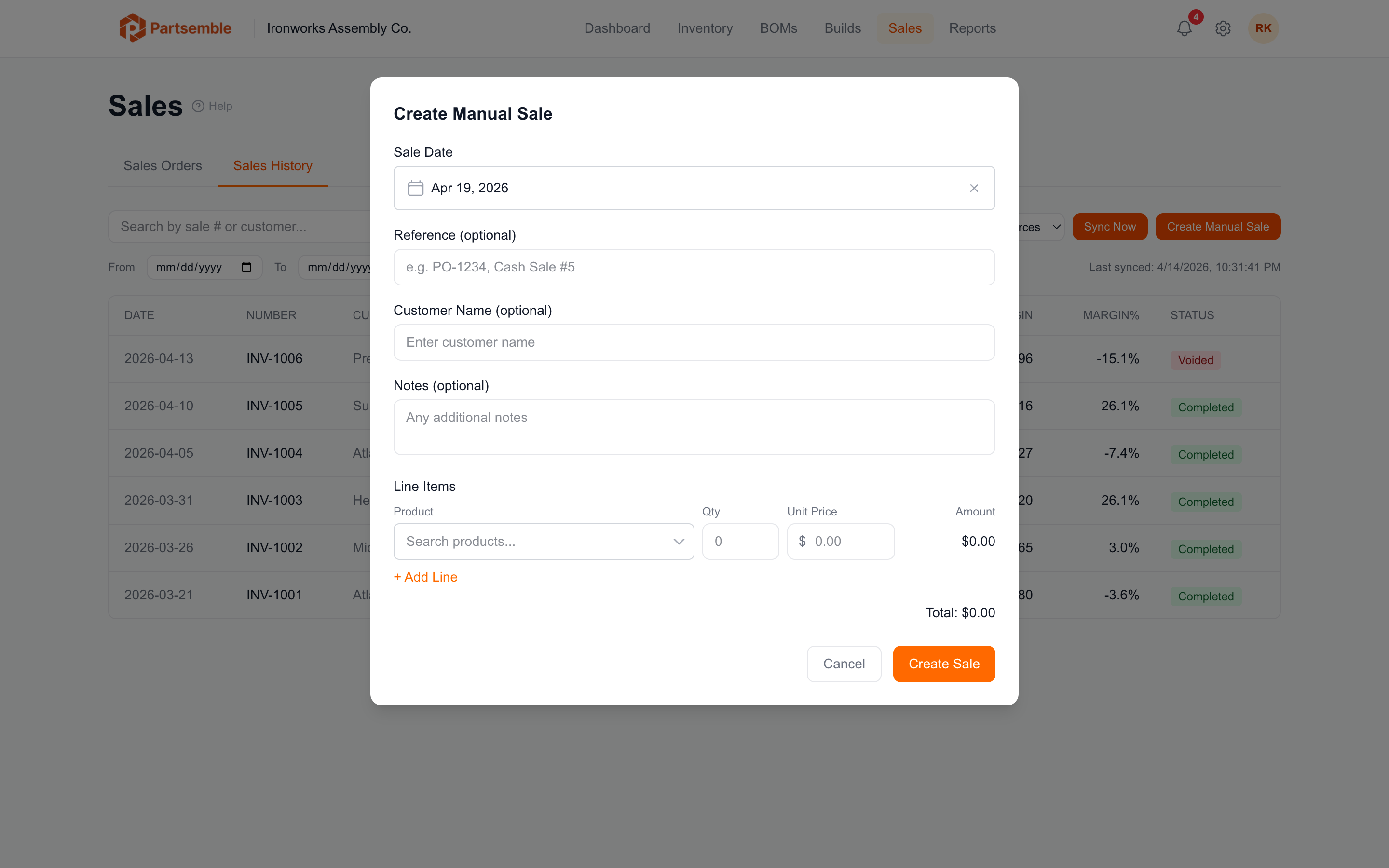
On the Sales tab, click Create Manual Sale. A modal opens with these fields:
Sale date (required) — when the sale occurred.
Reference (optional) — a reference number or identifier for your records (e.g., an order number from another platform).
Customer name (optional) — who the sale was to.
Notes (optional) — any additional context.
Line items (required, at least one) — add one line per product sold:
- Product — select from your finished goods
- Quantity — number of units sold
- Unit price — the selling price per unit
The modal shows a running total as you add lines. Click Create to save.
How Manual Sales Are Processed
Manual sales are processed exactly like synced sales:
- Finished good lots are consumed using FIFO
- Stock on hand decreases
- Costs are calculated from actual lot costs
- Margins are computed per line and per sale
- Stock transactions are created for the audit trail
The only difference is the source label — manual sales show "Manual" instead of "Synced" in the sales list.
When to Use Manual Sales
- Direct or cash sales that don't get invoiced through your accounting system
- Marketplace sales from platforms not yet connected to Partsemble
- Internal consumption — recording product used for samples, demos, or R&D
- Testing — verifying that margin calculations look correct before connecting a sync channel