Enabling QA Review
QA review adds a quality assurance step to your build process. When enabled, executed builds don't immediately add finished goods to inventory — instead, they wait for a team member to approve or reject the build. This gives you a checkpoint to verify quality before production is finalized.
QA review requires the Pro plan or above.
What Changes When QA Is Enabled
Without QA review, the build flow is: Execute → Pending Export → Exported.
With QA review, the flow becomes: Execute → Pending QA → Approved → Pending Export → Exported.
The key difference is that finished goods are not added to inventory until the build is approved. Component consumption still happens at execution time — raw materials are deducted immediately. But the finished good's stock only increases after approval.
This means your inventory accurately reflects only quality-verified production.
How to Enable
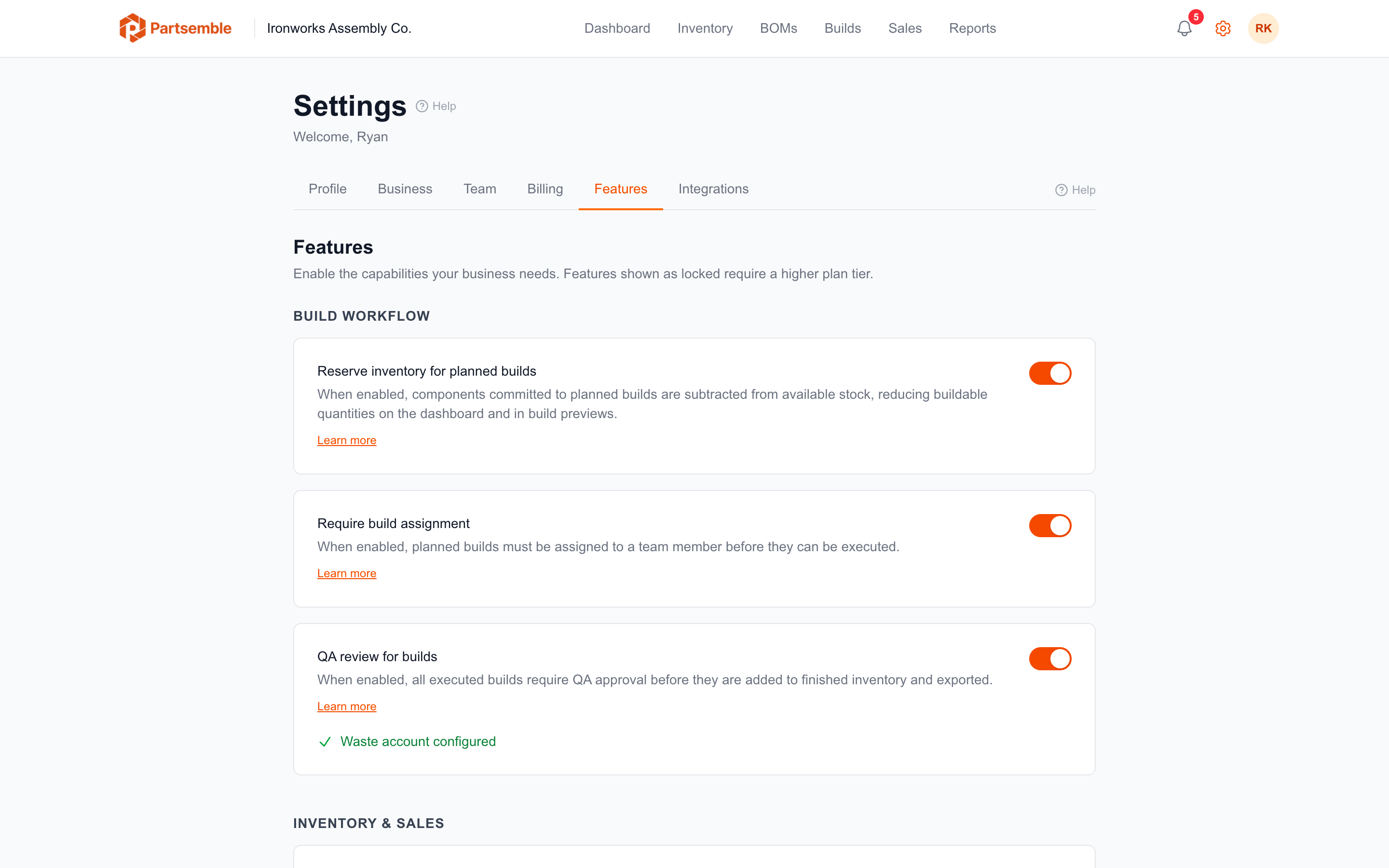
Go to Settings → Features and turn on QA review for builds under Build Workflow. You need the Enable / Disable Business Features permission, which owners and admins have by default. The change applies to every build executed from then on. Builds that were already executed before enabling QA are not affected — they continue through the normal flow.
With QA review on and an accounting connection in place, the switch also shows whether a waste account is set: Waste account configured, or a warning with a Configure in Integrations link.
Who Can Approve Builds
Any team member with the approve_builds permission can approve or reject builds. By default, account owners and admins have this permission. You can configure it through Roles and Permissions.
The person who executed the build can also be the one who approves it, though many businesses prefer to have a different person handle QA for separation of duties.
What to Consider Before Enabling
Production timing. With QA enabled, there's a delay between execution and inventory availability. If you build and sell on the same day, make sure your QA process is fast enough to not create bottlenecks.
Waste account. If you plan to reject builds with material loss (total loss or partial recovery), you need a waste/scrap account configured in your accounting integration. Set this up before or shortly after enabling QA. See Waste Account Setup.
Team permissions. Make sure the right people have the approve_builds permission. If only one person can approve and they're unavailable, builds will pile up in the QA queue.
Disabling QA Review
You can turn off QA review at any time in Settings → Features. When disabled:
- New builds skip the QA step and go directly to Pending Export
- Builds already at Pending QA stay there, and can't be approved or rejected while QA review is off. The Approve and Reject buttons and the Pending QA tab are hidden until you turn QA review back on.
Review every build at Pending QA before you turn QA review off. Their finished goods don't reach stock until each one is approved, and that needs QA review on.