Builds Overview
A build is the core action in Partsemble — it's the act of manufacturing a product. When you execute a build, Partsemble consumes component inventory according to the bill of materials, produces the finished good, calculates costs, and records everything for your books.
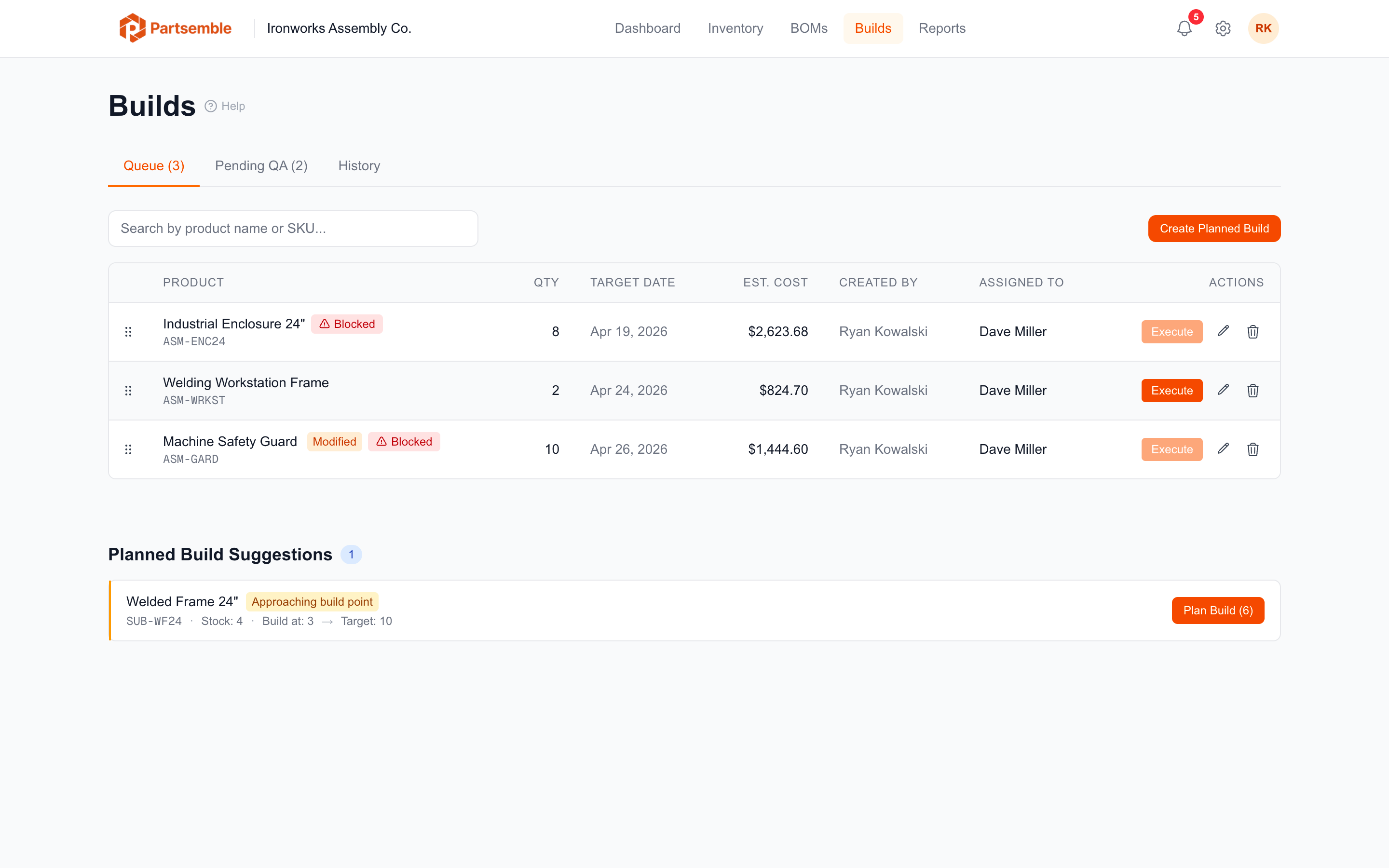
The Build Lifecycle
Every build follows a lifecycle. The steps depend on your settings:
Standard flow (no QA): Planned → Executed → Pending Export → Synced
With QA review enabled: Planned → Executed (Pending QA) → Approved → Pending Export → Synced
Quick builds skip the planning step — they go directly from execution to pending export (or to QA if enabled).
Each status transition is tracked with a timestamp and the user who performed it, giving you a complete audit trail.
Two Ways to Build
Quick build — select a product, set a quantity, and execute immediately. Best for routine production when you don't need to plan ahead. See Quick Builds.
Planned build — create a build with a target date, optionally assign it to a team member, and add it to the build queue. Execute it when you're ready. Best for scheduling and team coordination. See Planning Builds.
Both methods use the same underlying execution engine. The difference is in the workflow leading up to the build.
What Happens During a Build
When a build executes, Partsemble does the following in a single atomic transaction:
- Validates — checks that the BOM is active, components have sufficient stock, and any assignment requirements are met
- Consumes components — decreases stock on hand for each component by the quantity defined in the BOM, multiplied by the number of units built
- Records cost — captures the weighted average cost of each consumed component at the time of execution, plus any cost lines from the BOM
- Produces the finished good — increases stock on hand for the output product (unless QA review is required, in which case production is deferred until approval)
- Creates stock transactions — an immutable ledger entry for every inventory movement
- Exports to accounting — if auto-export is configured, sends the transaction to your accounting system
If anything fails during execution, nothing is committed — your inventory stays unchanged.
Build Statuses
| Status | Meaning |
|---|---|
| Planned | Scheduled but not yet executed. Sitting in the build queue. |
| Executed — Pending QA | Build completed, waiting for quality assurance review. Only appears when QA review is enabled. |
| Approved | Passed QA review. Finished goods added to inventory. |
| Rejected | Failed QA review. Components may be recovered, partially recovered, or written off as waste. |
| Pending Export | Ready to be exported to your accounting system. |
| Synced | Successfully exported to accounting. |
| Failed | Export to accounting failed. Can be retried. |