Receiving Overview
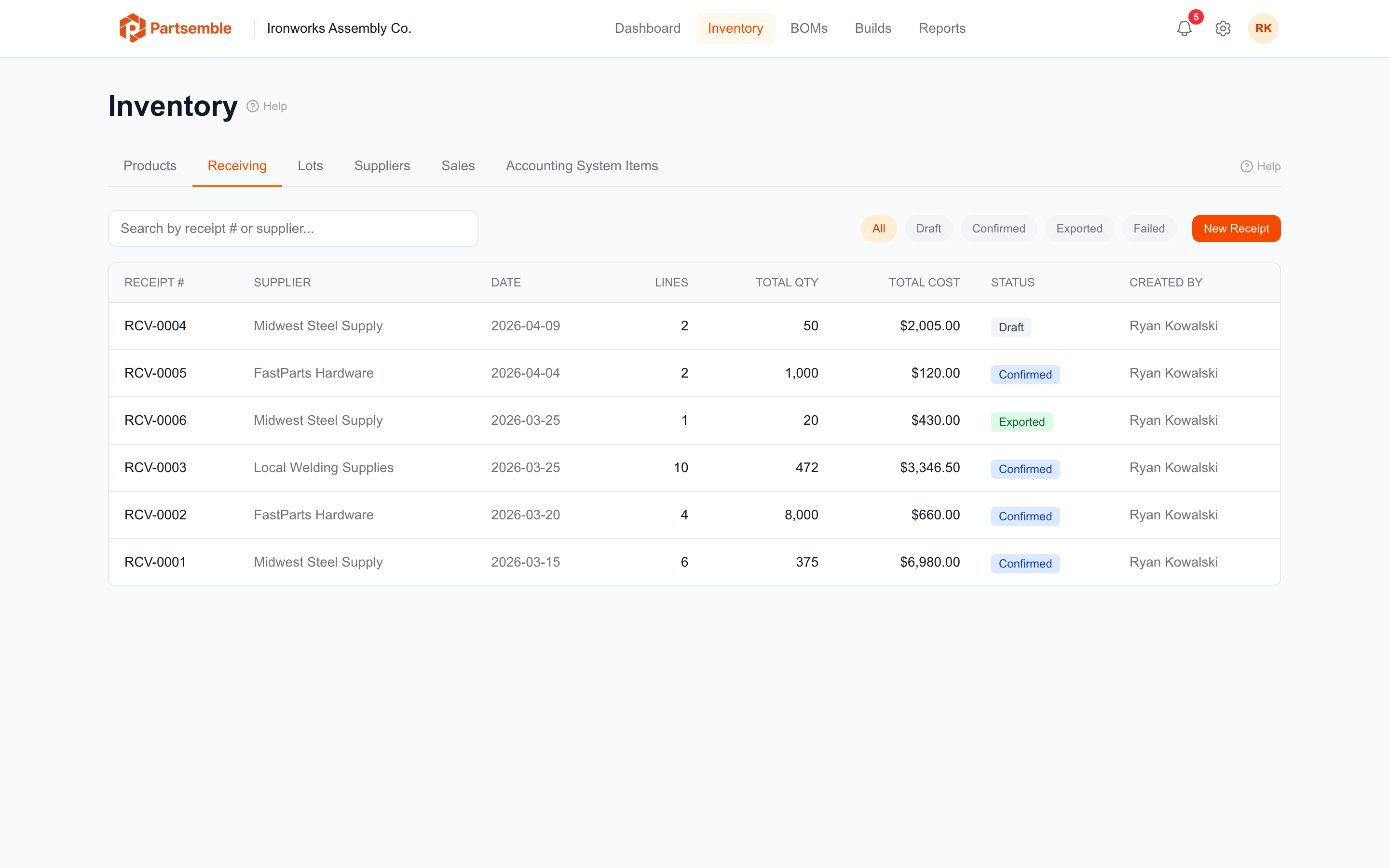
Receiving tracks incoming inventory — what arrived, when, from which supplier, at what cost, and in which lot. When you enable receiving, Partsemble becomes the source of truth for inventory quantities and costs, with full lot-level traceability from receiving through production to sales.
Receiving and lot tracking require the Advanced plan.
Why Use Receiving?
Without receiving, stock quantities in Partsemble come from your accounting system (if synced) or manual entry. You know how much you have, but not where it came from or when.
With receiving enabled, every unit of inventory has a history: which supplier delivered it, what lot it belongs to, what it cost, and when it arrived. When you build, Partsemble consumes specific lots using FIFO, so you can trace every finished good back to the exact incoming materials that went into it.
This matters for regulated manufacturers who need material traceability (metal certs, heat numbers, or FDA batch tracking), shops that deal with supplier quality claims, and any business that needs to know the true cost of each incoming batch.
The Receiving Workflow
The typical flow:
-
Create a receipt — enter the supplier, received date, and the products and quantities you received. Each line becomes a lot. See Creating Receipts.
-
Confirm the receipt — lock the receipt and update inventory. Confirming adds the received quantities to stock, creates lot records, and recalculates product costs. See Confirming Receipts.
-
Export to accounting — send the receipt to your accounting system as an inventory adjustment. See Exporting Receipts.
What Changes When Receiving Is Enabled
Enabling receiving has several effects on your Partsemble account:
- Lot tracking activates — every incoming receipt creates trackable lots. Existing stock is converted to a legacy lot.
- FIFO consumption — builds consume the oldest lots first, giving you full traceability.
- Cost per lot — each lot records the actual purchase cost, and product unit costs are calculated as a weighted average across all active lots.
- Lot adjustments — you can adjust lot quantities for breakage, count corrections, or other reasons.
- Suppliers — you can create and manage supplier records for your vendors.
See Enabling Receiving for the full setup process.
Key Concepts
Receipt — a document recording an incoming shipment. Contains one or more lines, each for a specific product and quantity.
Receipt line (lot) — a single line on a receipt. Each line becomes a lot with a unique lot number, quantity, cost, and optional expiry date.
Lot number — a unique identifier for a batch of incoming inventory. Auto-generated from the supplier code and date, or manually entered.
Quantity remaining — how much of a lot is still in stock. Decreases as the lot is consumed by builds or sales.
Legacy lot — an auto-created lot representing stock that existed before receiving was enabled.