Confirming Receipts
Confirming a receipt finalizes it and updates your inventory. This is when stock quantities increase, lots become active, and product costs are recalculated.
How to Confirm
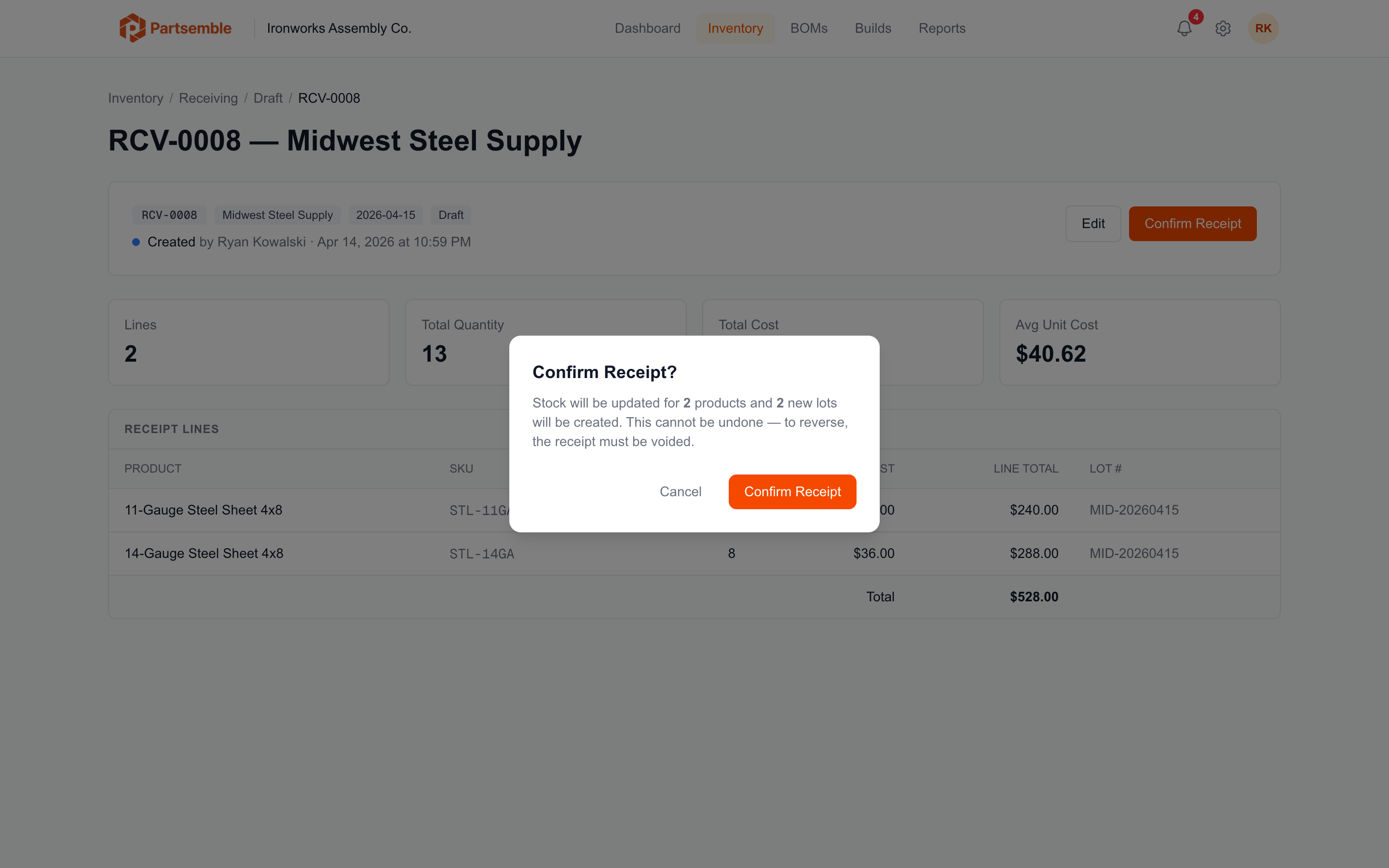
Open the draft receipt and click Confirm. Partsemble validates the receipt and, if everything passes, locks it and applies the inventory changes.
What Happens on Confirmation
In a single transaction, Partsemble:
- Updates stock on hand — each product's stock increases by the received quantity
- Activates lots — each receipt line becomes an active lot with its quantity available for consumption
- Sets quantity remaining — each lot's remaining quantity is set equal to the received quantity (nothing has been consumed yet)
- Creates stock transactions — an immutable "RECEIVE" transaction is recorded for each line
- Recalculates product costs — unit costs are recalculated as a weighted average across all active lots
- Checks build points — if any product's stock crossed a build point threshold, auto-generated planned builds may be created or updated
- Queues for export — if auto-export is configured and prerequisites are met, the receipt is queued for accounting export
Validation Requirements
Confirmation fails if any of these conditions aren't met:
- Every line must have a quantity greater than zero
- Every line must have a unit cost of zero or more
- Every line must have a lot number (auto-generated or manually entered)
- Lot numbers must be unique per product — you can't have two active lots with the same number for the same product
- Lot numbers must not duplicate any existing active lots in your account
If validation fails, Partsemble shows the specific issue so you can fix it and try again.
After Confirmation
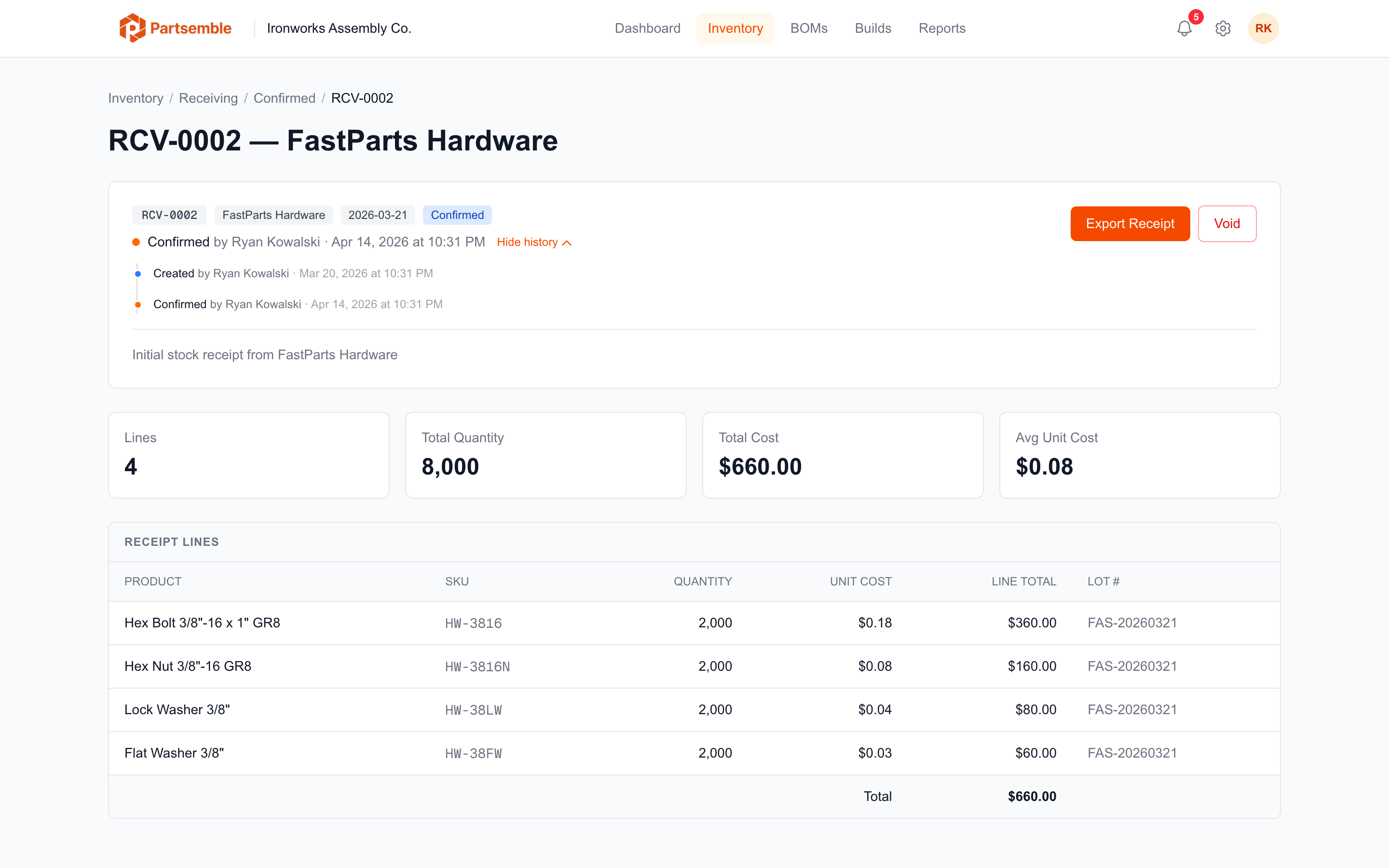
Once confirmed, the receipt is locked. You can still make limited edits to individual lines (quantity and cost adjustments), but you can't add or remove lines, change the supplier, or delete the receipt.
To undo a confirmed receipt, use the Void action. See below.
Voiding a Confirmed Receipt
If a receipt was confirmed in error, you can void it. Voiding reverses all inventory changes:
- Stock on hand decreases by the received quantities
- Lots are marked as voided and excluded from FIFO
- Reversal stock transactions are created for the audit trail
- Product costs are recalculated without the voided lots
If lots from a voided receipt have already been partially consumed by builds, voiding may result in negative stock. Review lot consumption before voiding a receipt that's been in the system for a while.