Enabling Receiving
Enabling receiving activates lot tracking, FIFO consumption, and the full receiving workflow in your Partsemble account. This is a significant change in how inventory is managed, so Partsemble asks you to acknowledge the implications before proceeding.
What Happens When You Enable
When you turn on receiving:
Receipts and lots record what arrived, and builds cost from lots. Receipts add to stock; builds and sales consume from it. While receiving is on, an item sync does not change a product's quantity or unit cost. Whether Partsemble or your accounting system carries inventory value is Export mode, which receiving does not change: on Journal entries an export posts a journal entry with Partsemble's amounts, and on Inventory adjustments it changes item quantities in your accounting system. See Export Mode.
Existing stock is converted to legacy lots. For every tracked product with stock on hand, Partsemble creates a "legacy" lot. These lots represent inventory that was on hand before receiving was enabled. They participate in FIFO like any other lot, using the product's current unit cost.
Lot tracking activates. Every receipt you create from now on generates lot records. Builds consume lots using FIFO. The full chain — from incoming lot to finished good — is traceable.
Product costs are recalculated. Unit costs shift from a simple weighted average to a lot-based weighted average — calculated from the quantities and costs of all active lots for each product.
How to Enable
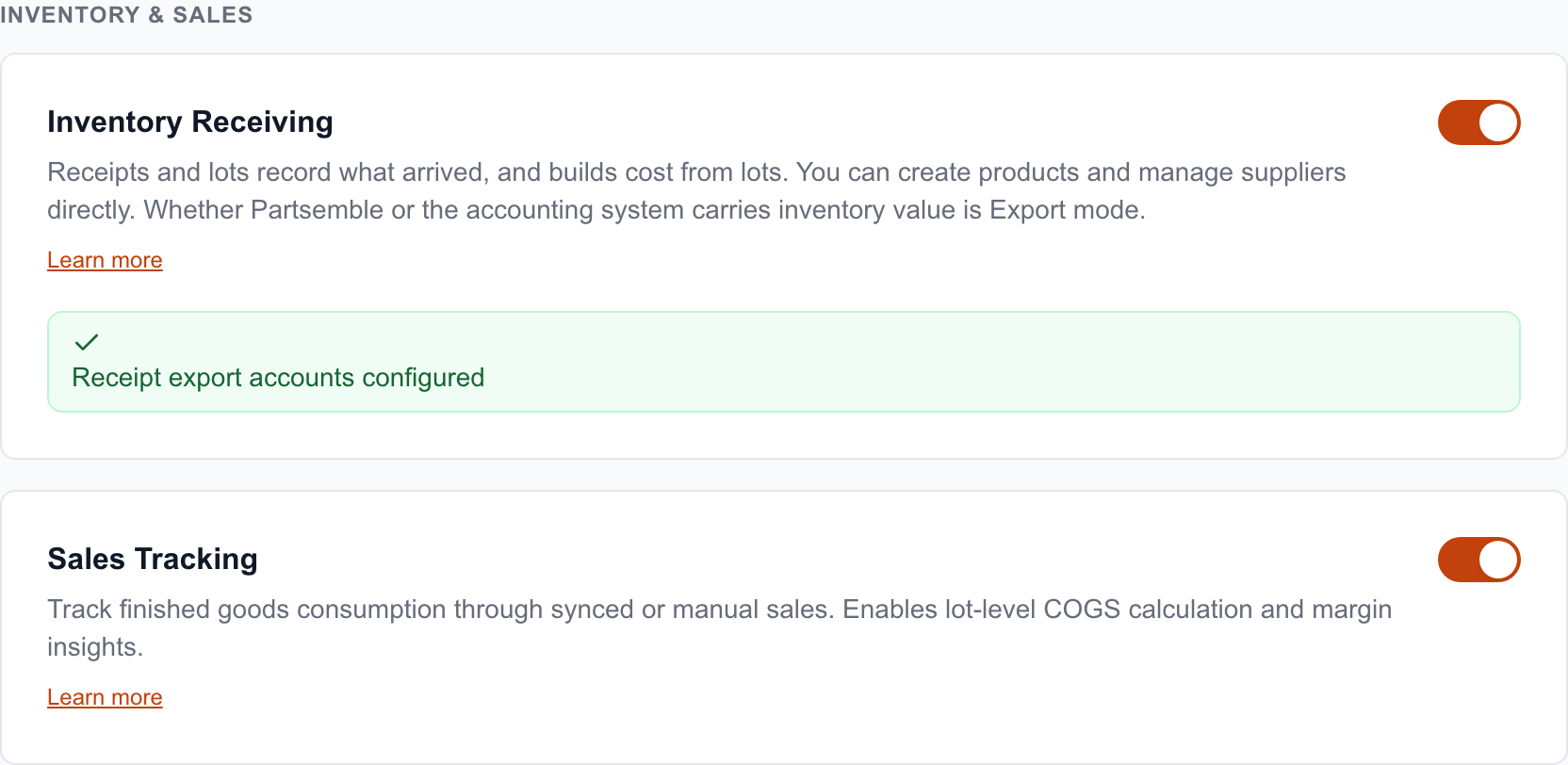
Navigate to Settings → Features and turn on the Inventory Receiving toggle under Inventory & Sales.
Partsemble opens the Enable Inventory Receiving dialog explaining the implications. Read through the list, tick "I understand that builds will cost from lots and receipts will record what arrived", and click Enable Receiving. This records who enabled receiving and when — it's part of the audit trail.
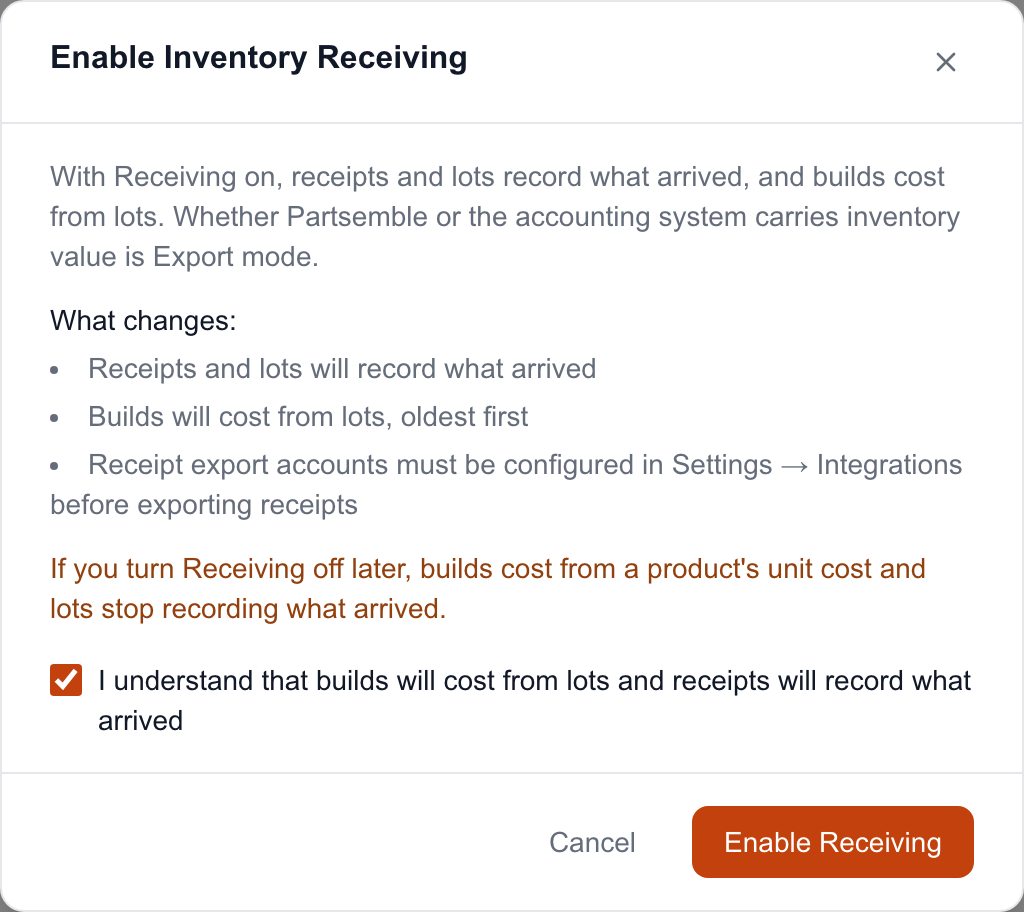
Turning Receiving Off Later
You can turn receiving off again with the same Inventory Receiving toggle; Partsemble asks you to confirm in the Disable Inventory Receiving dialog. Turning it off does this:
- Builds cost from a product's unit cost instead of from lots, and lots stop recording what arrived.
- When Export mode is Inventory adjustments, syncing quantities and unit costs from your accounting system resumes.
- Lots and receipts already recorded stay, and any receipts you have not exported need to be handled by hand.
- The Transfers tab goes away until receiving is on again. See Transfer to Assembly.
After Enabling
Once receiving is active:
- Choose the receipt export accounts in Settings → Integrations → Accounting if you plan to export receipts: the Receiving Account when Export mode is Inventory adjustments, or the two Receiving Export accounts when it is Journal entries. See Receiving Account.
- Create your first receipt to get familiar with the workflow. See Creating Receipts.
- Add suppliers for your vendors. See Suppliers.
The legacy lots created for existing stock will be consumed first (FIFO) as you execute builds. Over time, all your inventory will be backed by proper receipt records.