Suppliers
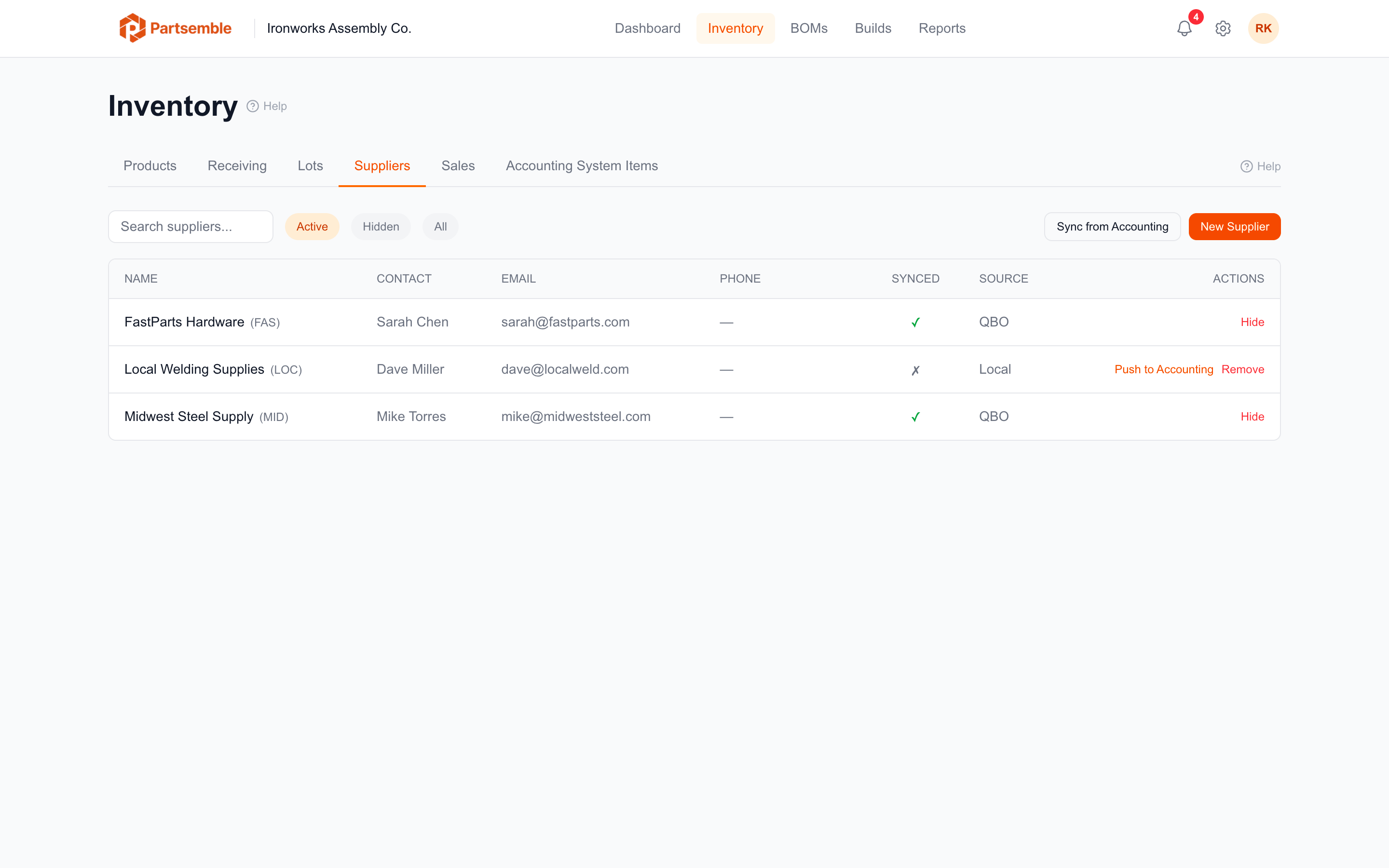
Suppliers represent the vendors you purchase materials from. Each receipt is linked to a supplier, and supplier information is used to auto-generate lot numbers and track purchasing history.
Creating a Supplier
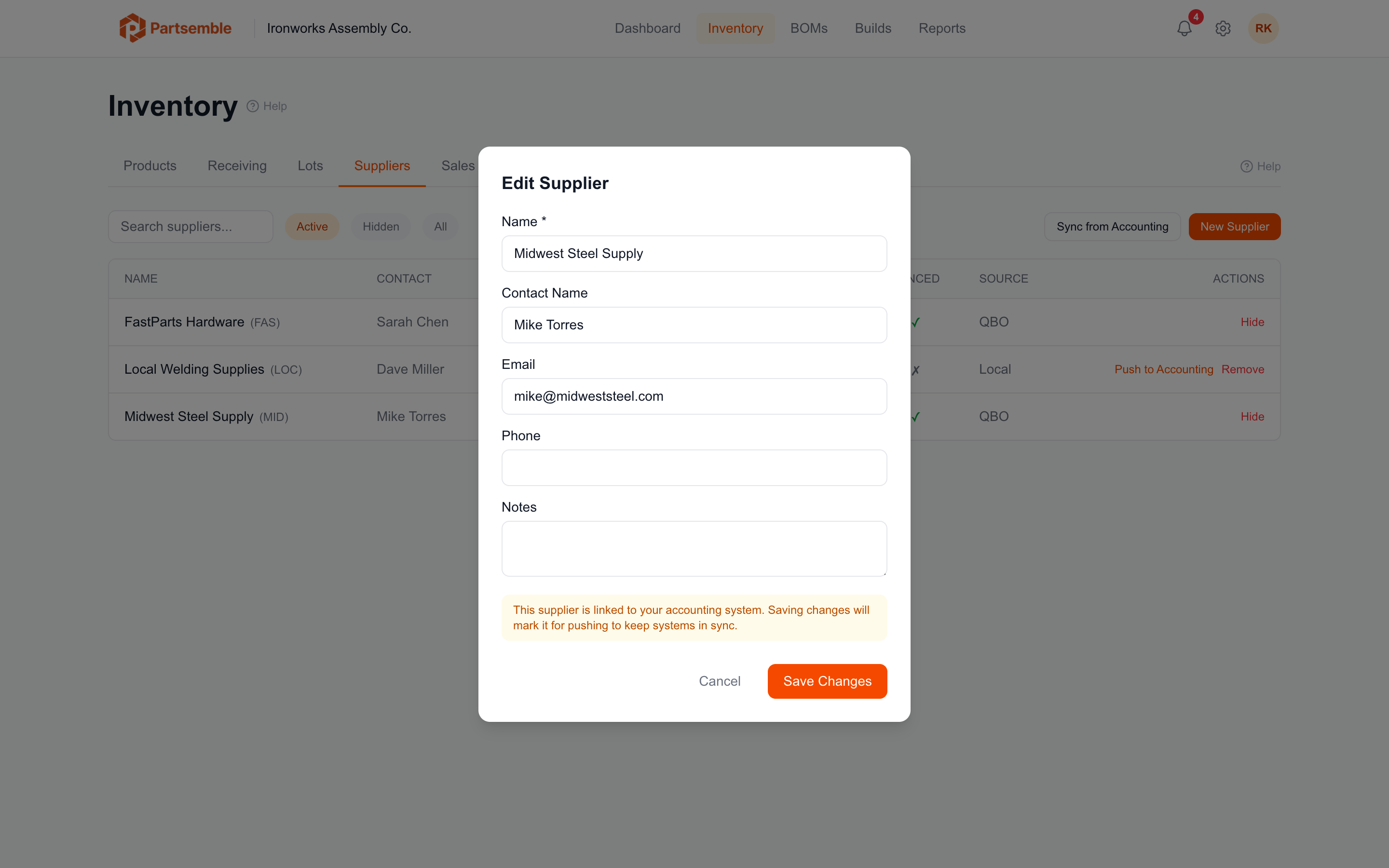
Navigate to Receiving → Suppliers and click New Supplier. Fill in the details:
Name (required) — the supplier's business name (e.g., "Acme Chemicals").
Slug — a short 3-4 character code used in auto-generated lot numbers (e.g., "ACM"). Partsemble generates this from the supplier name, but you can customize it. The slug must be unique within your account.
Contact name — your primary contact at the supplier.
Email — the supplier's email address.
Phone — the supplier's phone number.
Notes — internal notes about the supplier (payment terms, lead times, product specialties, etc.).
Supplier Codes and Lot Numbers
The supplier slug is used as the prefix for auto-generated lot numbers. When you receive from a supplier with the code "ACM" on April 4, 2026, the lot number is ACM-20260404. This makes lot numbers immediately meaningful — you can tell the supplier and approximate date at a glance.
Synced Suppliers
If your accounting system has vendor records, suppliers can be synced. Synced suppliers have an external ID linking them to the vendor in your accounting system. Changes to the vendor name or details in your accounting system are reflected in Partsemble on the next sync.
You can also create suppliers locally in Partsemble that don't exist in your accounting system. These are marked as local-only and can optionally be pushed to your accounting system later.
Using Suppliers in Receipts
When creating a receipt, select the supplier from the dropdown. If the supplier doesn't exist yet, you can create one directly from the receipt creation form.
The supplier on a receipt is informational but important — it ties the incoming inventory to a specific vendor for purchasing history, lot identification, and cost tracking.