Lot Adjustments
Lot adjustments let you correct lot quantities outside of the normal receiving and build workflows. Use them for physical count corrections, breakage, spoilage, or adding inventory that arrived outside the standard receiving process.
When to Use Adjustments
Common scenarios:
- Physical count correction — your physical count doesn't match what Partsemble shows. Adjust the lot to match reality.
- Breakage or damage — units in a lot were damaged and need to be written off.
- Spoilage or loss — perishable products expired or were lost.
- Inventory from outside receiving — you received inventory through a channel that doesn't use the standard receipt workflow and need to add it to a lot.
Making an Adjustment
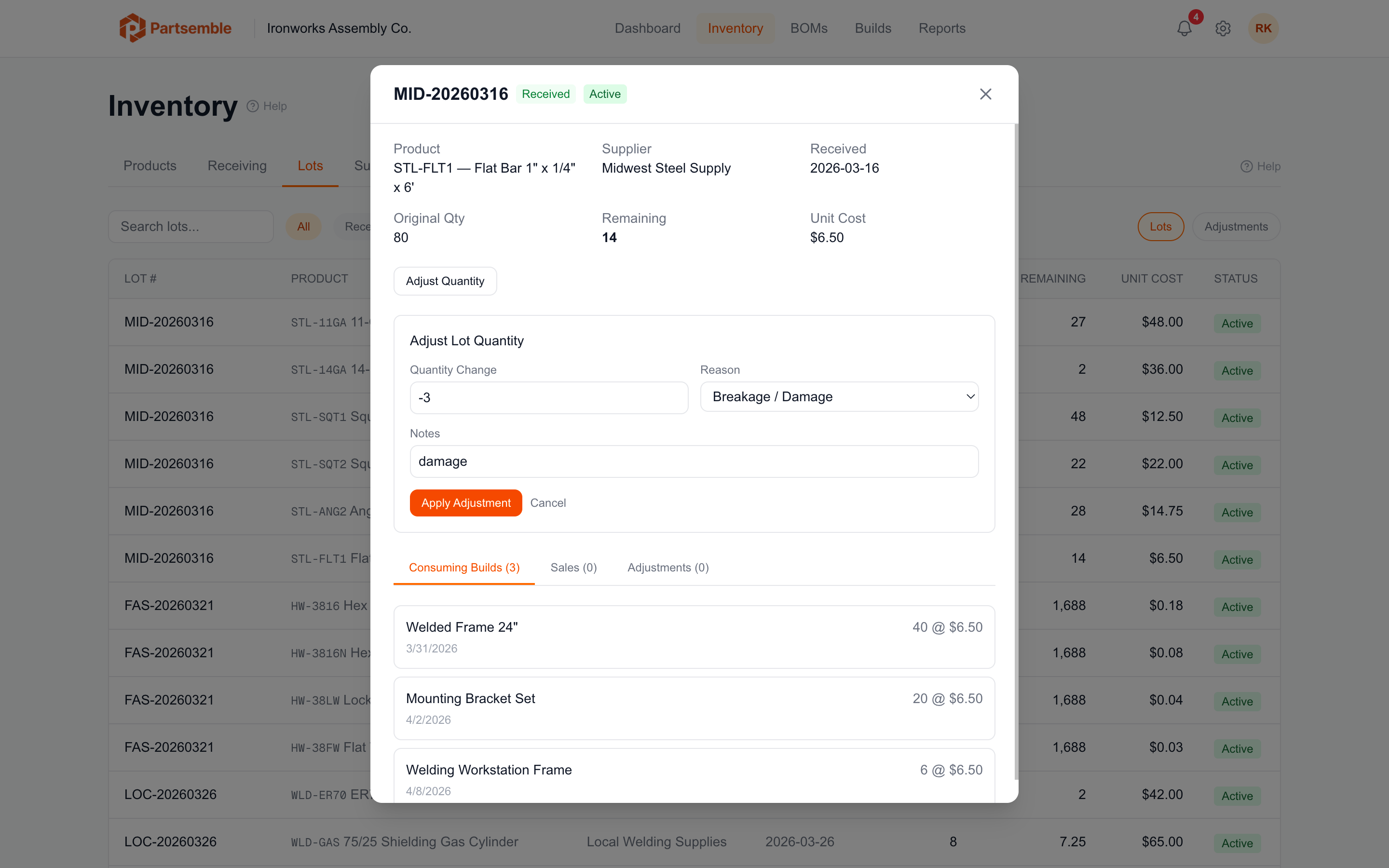
Navigate to the product detail page and find the lot you want to adjust. Click Adjust on the lot row.
Enter the adjustment details:
Quantity change — the amount to add (positive) or remove (negative). For example, enter "-5" to remove 5 units, or "10" to add 10 units.
Reason — select from:
- Count correction — physical count differs from system
- Breakage — physical damage
- Loss — spoilage, theft, or unexplained loss
- Other — any other reason
Notes — describe what happened. These notes are saved with the adjustment record.
Negative adjustments (breakage, loss) must be negative numbers. Partsemble validates that the reason matches the direction of the adjustment.
What Happens When You Adjust
Partsemble processes the adjustment immediately:
- Updates the lot — the lot's remaining quantity changes by the adjustment amount
- Updates product stock — the product's stock on hand changes by the same amount
- Creates a stock transaction — a "LOT_ADJUSTMENT" transaction is recorded for the audit trail
- Creates an adjustment record — a separate audit record captures the reason, notes, and who made the adjustment
- Recalculates product cost — the product's weighted average cost is recalculated from all active lots
- Queues for export — the adjustment is exported to your accounting system (if configured)
Creating Adjustment Lots
If you need to add inventory that doesn't belong to an existing lot — for example, a surprise delivery or a transfer from another location — you can create an adjustment lot. This creates a new lot with an auto-generated lot number (format: "ADJ-YYYYMMDD-001") and makes it immediately available for FIFO consumption.
Adjustment Export
Adjustments are exported to your accounting system as inventory adjustments. Positive adjustments (adds) use your receiving account. Negative adjustments (losses) use your waste or COGS account. The reference includes the adjustment details so you can trace it in your books.