Waste Account Setup
When a build is rejected with material loss (total loss or partial recovery), Partsemble exports the cost of the lost materials to your accounting system. This export needs a designated account — your waste or scrap account — to record the expense against.
Why You Need a Waste Account
Without a waste account, Partsemble can't export rejected build losses. You'll still be able to reject builds with full recovery (since no waste needs to be exported), but rejections with total loss or partial recovery will be blocked until the account is configured.
The waste account is part of your accounting connection's settings. Without an accounting connection there is nowhere to set one, so only full recovery is available.
Setting this up takes a minute and only needs to be done once.
Steps
1. Create the account in your accounting system (if needed)
If you don't already have a waste or scrap account, create one in QuickBooks Online (or your connected accounting system). Common account names include "Manufacturing Waste," "Production Scrap," or "Waste & Shrinkage." It should be an expense account.
2. Configure in Partsemble
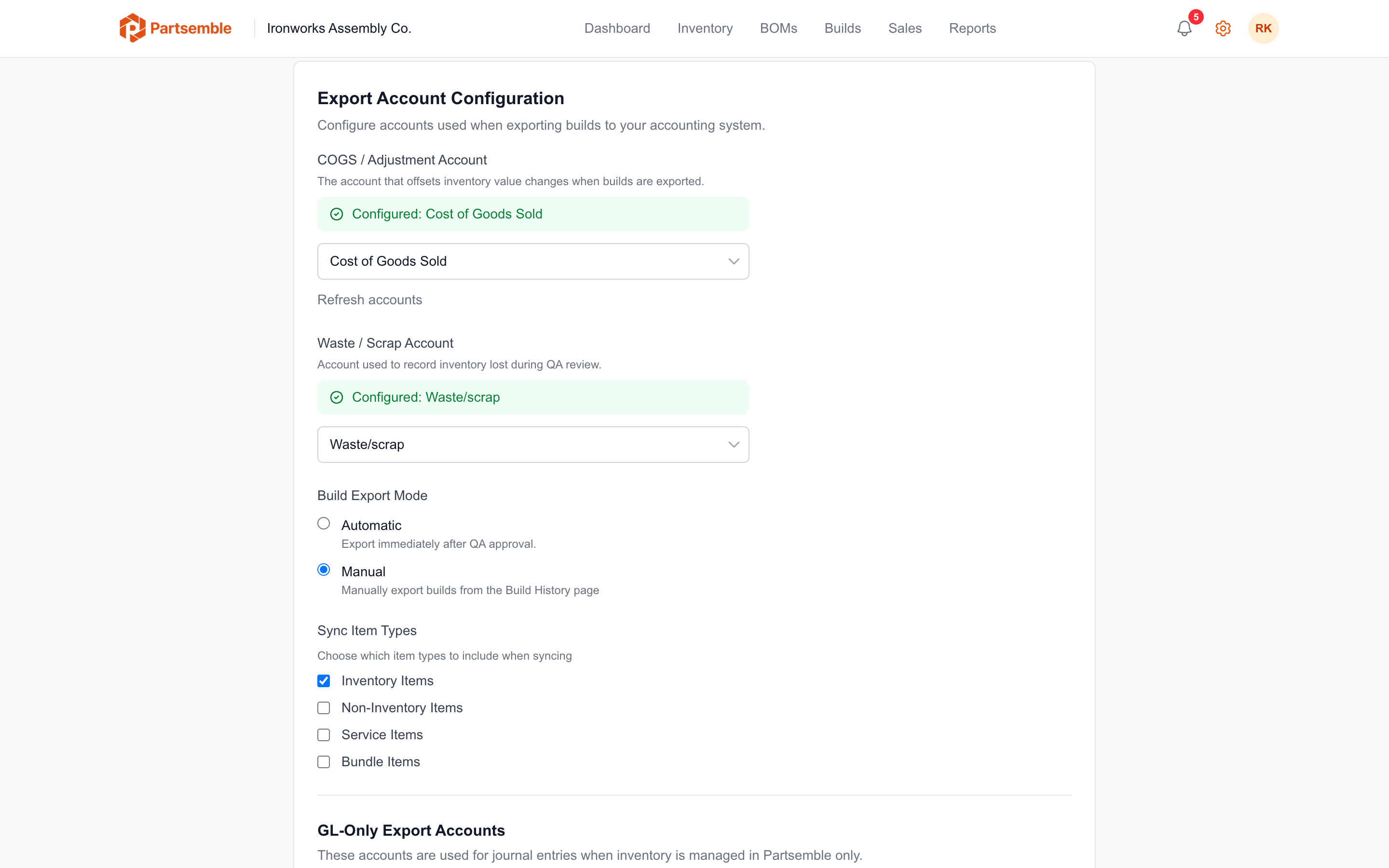
Navigate to Settings → Integrations. In the Export Configuration section, find the Waste / Scrap Account dropdown. Select the account you created.
Click Save.
That's it. Partsemble now knows where to record material losses when rejected builds are exported.
What Gets Posted to the Waste Account
When a rejected build with loss is exported, Partsemble creates a transaction in your accounting system:
Total loss — the full cost of all consumed components is posted as an expense to the waste account. This is the entire material cost of the failed build.
Partial loss — only the cost of the lost portion is posted. Components that were recovered don't appear in the waste transaction.
The transaction includes a reference number (format: PSB-XXXXXXXX-W) that links back to the specific build in Partsemble, so you can always trace the expense back to its source.
When It's Required
| Rejection Scenario | Waste Account Required? |
|---|---|
| Full recovery (all materials returned) | No |
| Total loss (all materials lost) | Yes |
| Partial recovery with some loss | Yes |
| Partial recovery with no loss (all recovered) | Yes |
If you choose Total Loss or Partial Recovery and the waste account isn't configured, the Reject Build dialog shows Waste account not configured and keeps Confirm Rejection disabled. The Configure in Settings → link takes you to the integration settings to set it up. If everything was recovered, choose Full Recovery, which needs no waste account.
Configure the waste account as soon as you enable QA review, even if you don't expect many rejections. It's one less thing to deal with when you actually need to reject a build for the first time.