What Can I Build?
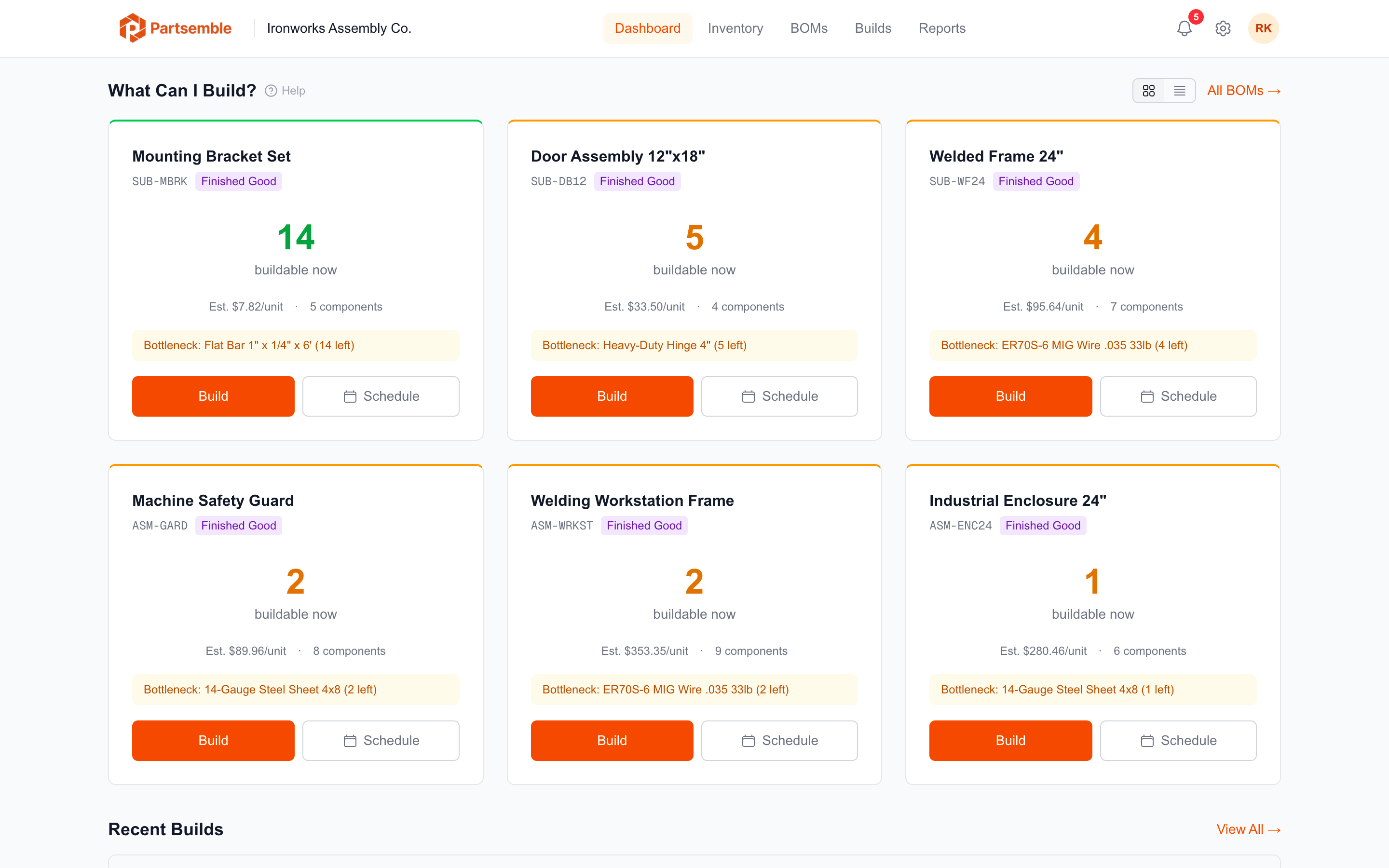
The "What Can I Build?" section of the dashboard answers the most fundamental production question: given your current inventory, how many of each finished good can you produce right now?
How It Works
For every active BOM, Partsemble calculates the maximum buildable quantity by looking at each required component's stock on hand and dividing by the quantity needed per unit. The lowest result across all components is the maximum you can build — limited by the component you have the least of, relative to what the BOM requires.
Example: Your Industrial Enclosure BOM requires 2 sheets of 14-gauge steel and 1 door assembly per unit. You have 30 sheets of steel and 12 door assemblies on hand. The steel supports 15 enclosures (30 ÷ 2), and the door assemblies support 12 enclosures (12 ÷ 1). The maximum buildable is 12, and the bottleneck is door assemblies.
Bottleneck Component
Each entry in the list shows the bottleneck component — the material that limits production. The bottleneck display includes the component name, its current stock, how much is needed per unit, and how many units it supports. This tells you exactly what to reorder to increase your production capacity.
Multi-Level BOMs
For products with nested BOMs (sub-assemblies), the buildable calculation considers the full component tree. If a sub-assembly needs to be built first, the calculation accounts for the sub-assembly's own component requirements recursively.
Inventory Reservation
If inventory reservation is enabled (Pro plan), components committed to planned builds in the queue are subtracted from available stock before calculating buildable quantities. This prevents the dashboard from showing inflated numbers when materials are already spoken for. See Feature Toggles.
Taking Action
Click any product in the list to open the build modal. You can execute a build immediately (quick build) or create a planned build for later. Products with zero buildable quantity can still be planned — the build just can't be executed until stock is available.
Sorting
Products are sorted with buildable items first (those with stock available to produce at least one unit), then by buildable quantity descending. Products that can't be built right now appear at the bottom.