Team Management
Partsemble supports multi-user access so your team can collaborate on inventory management, production, and accounting tasks. The business owner invites team members, assigns roles, and controls what each person can do.
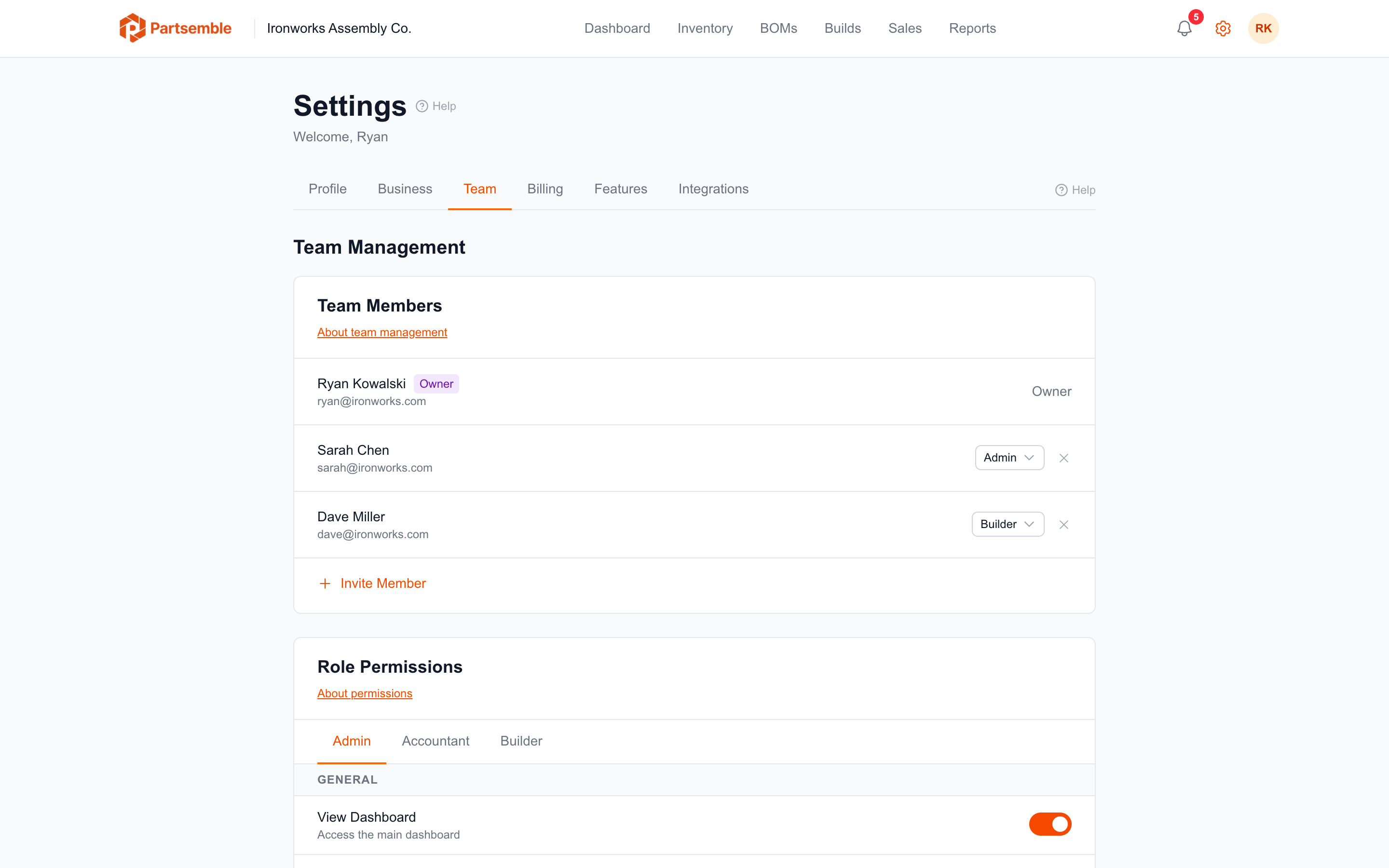
Inviting Team Members
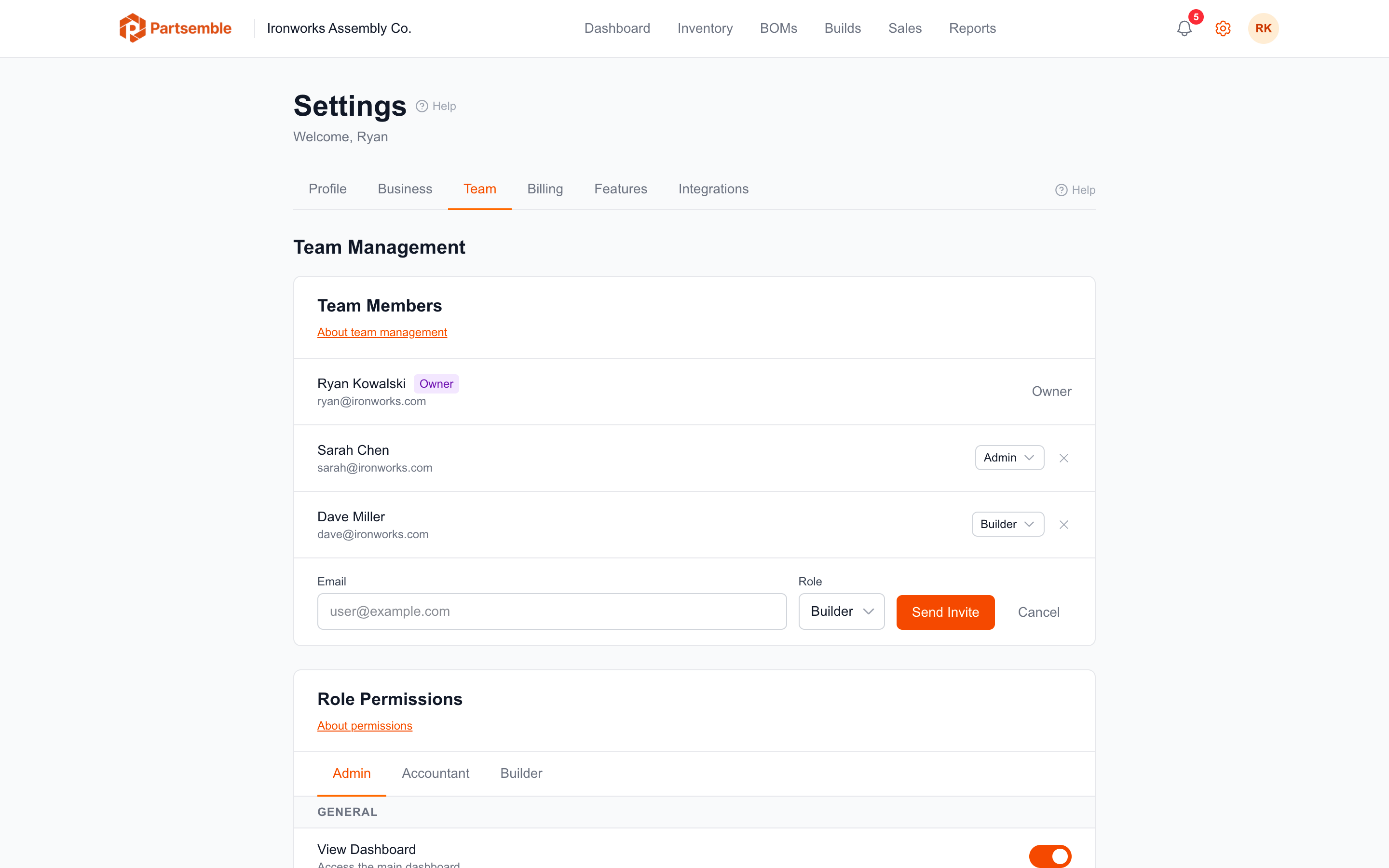
Navigate to Settings → Team and click Invite Member. Enter the person's email address and select a role: Admin, Accountant, or Builder.
Partsemble sends an invitation email with a link to join. The invitation is valid for 7 days. If it expires, you can send a new one. The recipient creates a Partsemble account (or signs in if they already have one) and is added to your business with the assigned role.
Each team member counts toward your plan's user limit. The Maker plan includes 1 user, Pro includes 3, and Advanced includes 5. Additional users beyond your plan's included count are billed at $5.00/month each.
Invitation Statuses
Pending — the invitation has been sent but not yet accepted.
Accepted — the recipient joined your business.
Expired — the 7-day window passed without acceptance. Send a new invitation.
Revoked — you cancelled the invitation before it was accepted.
Managing Members
The Team settings page shows all active members and pending invitations. For each member, you can see their name, email, role, and when they joined.
Change a member's role — click the member and select a new role. The change takes effect immediately and updates their permissions.
Remove a member — click remove to deactivate their membership. They lose access to your business data immediately. Their past actions (builds created, exports triggered) remain in the audit trail.
Role Restrictions
Only the business owner can invite or modify Admin-level users. Admins with the manage_team permission can invite and manage Accountants and Builders, but cannot modify other Admins or the Owner.
The Owner role cannot be transferred or duplicated — there is exactly one owner per business.