Managing Your Subscription
Your subscription details and usage are available in Settings → Billing. From here you can see your current plan, usage levels, next billing date, and manage your payment method.
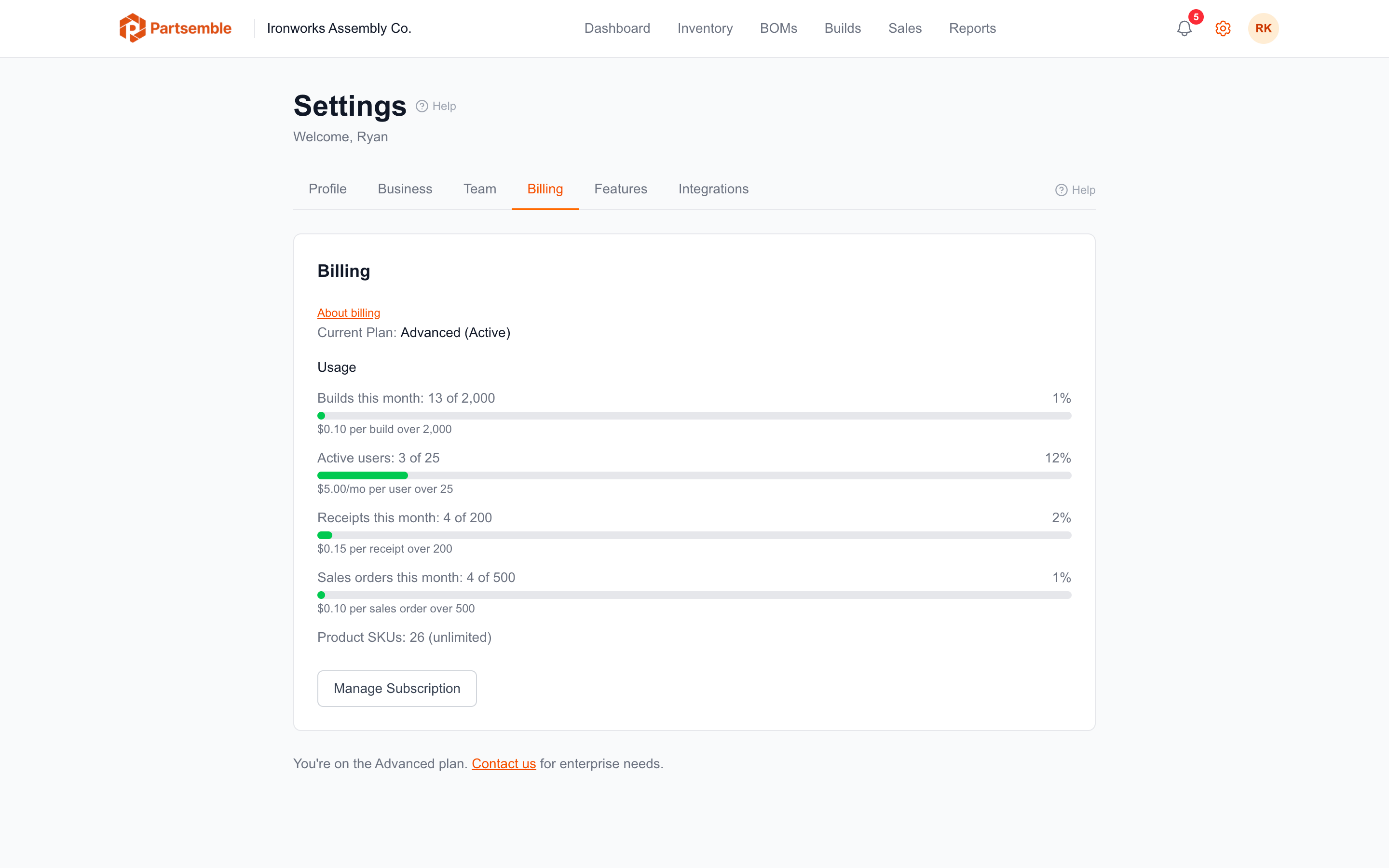
Billing Status
The billing page shows your current state at a glance: plan tier (Maker, Pro, or Advanced), subscription status (active, trialing, past due), the next billing date, and whether you're in a trial period with the remaining days.
Usage Dashboard
Usage bars show your current consumption against each limit: product SKUs, builds this month, users, and (on Advanced) receipts and sales orders. Each bar is color-coded — green when usage is normal, amber at 80% of the limit, and red when exceeded.
Metered limits show the overage rate so you know the cost of exceeding. Hard cap limits show that creation will be blocked at the limit.
Payment Management
Click Manage Subscription to open the Stripe billing portal. From there you can update your payment method (credit card), view past invoices, download receipts for accounting, and see upcoming charges including any prorated amounts or overages.
The billing portal is hosted by Stripe — Partsemble never sees or stores your full card number.
Subscription Statuses
Trialing — you're in the free trial period. All Advanced features are available with Maker-level limits. No payment method is required.
Active — your subscription is paid and current. Full access to your plan's features.
Past due — a payment attempt failed. You still have access, but you should update your payment method to avoid service interruption. Partsemble sends an email notification when this happens.
Expired — your trial ended without selecting a plan. The account becomes read-only — you can view your data but can't create new products, builds, or other records. Select a plan to restore full access.
Canceled — you've canceled your subscription. The account becomes read-only. Your data is preserved and accessible if you resubscribe.
Who Can Access Billing
Only users with the manage_billing permission can view billing details and make changes. By default, this is the business owner and admin role. The cancel_service permission is locked to the owner only and cannot be granted to other roles.