Executing Builds
Executing a build is the moment production happens in Partsemble. Components are consumed, the finished good is produced, costs are calculated, and everything is recorded. This article covers what happens during execution and what to expect.
The Execution Flow
Whether you're running a quick build or executing a planned build, the process follows the same pattern:
1. Preview
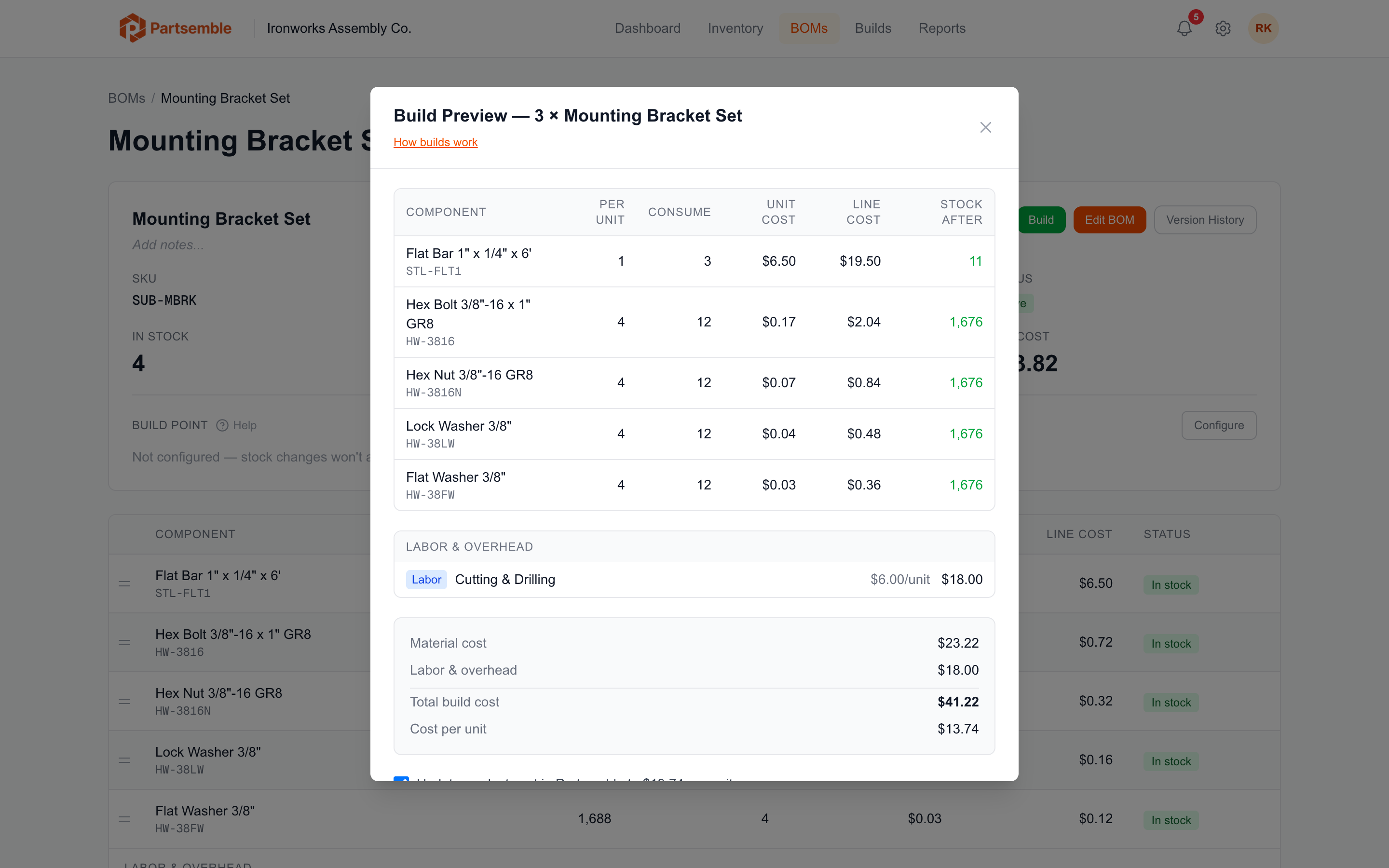
Before anything changes, Partsemble shows you a preview of the build:
- Each component that will be consumed, with the quantity and current unit cost
- Optional components and whether they'll be included
- Cost lines from the BOM (labor, overhead, etc.)
- The total build cost
- The resulting unit cost of the finished good
Review this carefully. The preview reflects current stock and prices — if anything has changed since you planned the build, you'll see it here.
2. Validation
Partsemble checks several things before allowing execution:
- BOM is active — the BOM must be in Active status. Archived or draft BOMs can't be used for builds.
- Sufficient component stock — every required component must have enough stock on hand to cover the build quantity. Optional components are checked but won't block the build.
- Build limit — your plan's monthly build limit is checked. If you've reached your limit, you'll see an upgrade prompt.
- Assignment requirement — if build assignment is enabled (Pro plan and above) and this is a planned build, it must be assigned to a team member.
3. Execution
When you confirm, Partsemble executes the build in a single atomic transaction:
Component consumption — stock on hand decreases for each component. If lot tracking is enabled (Advanced plan), specific lots are consumed using FIFO order.
Finished good production — stock on hand increases for the output product, and its unit cost is recalculated using weighted average costing. If QA review is enabled, this step is deferred until the build is approved.
Cost recording — the total cost is captured as the sum of all consumed component costs plus cost lines. Each component's cost is locked in at the current weighted average price at execution time.
Stock transactions — an immutable ledger entry is created for every inventory movement (one per consumed component, one for the produced finished good).
If anything fails, the entire transaction is rolled back. Your inventory stays exactly as it was.
4. Post-execution
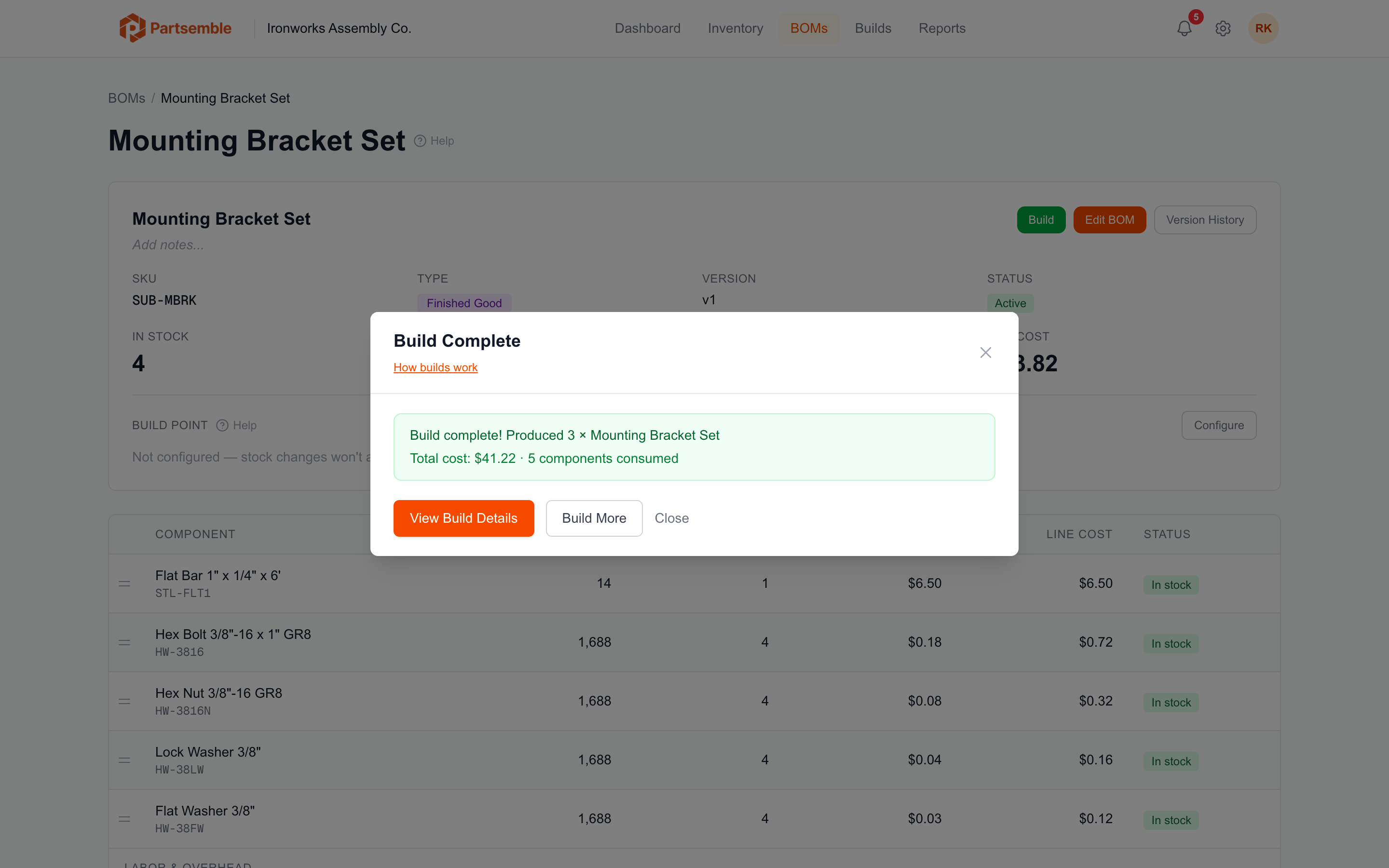
After execution:
- If QA review is enabled, the build enters Executed — Pending QA status and waits for approval
- If QA review is not enabled, the build moves to Pending Export and is ready for accounting export
- If auto-export is configured, the export happens immediately
- Build point checks run — if any component's stock dropped below a build point, Partsemble may create auto-generated planned builds
Executing a Planned Build
Open the planned build from the Build Queue and click Execute. The preview shows the planned build lines (which may have been edited from BOM defaults). Partsemble re-validates component stock at execution time — if stock has changed since planning, the preview reflects current availability.
Lot Tracking During Builds
On the Advanced plan with lot tracking enabled, Partsemble consumes component lots using FIFO (first in, first out). The oldest lots are consumed first. Each lot consumption is tracked individually, so you have full traceability from finished good back to the specific incoming lots that went into it.
If a planned build has pre-assigned lot allocations (set during planning), those assignments are used at execution time.
What If a Build Fails?
If validation fails (insufficient stock, BOM archived, etc.), Partsemble shows an error message explaining the issue. Nothing is consumed. Fix the issue and try again.
Common reasons for failure:
- A component ran out of stock between preview and execution (another build consumed it)
- The BOM was archived or a new version was created
- You've reached your plan's monthly build limit